Table of contents
This sheet includes two views: Release plan and Cost.
In the top right of the sheet, you can choose to select a specific period of time to analyze the data. This period always starts with the first manufacturing start date and you can choose to extend it until the last release date, at the maximum.
The data can also be filtered with the buttons on the right of the sheet. Clicking on one of those filters change the visualization and the colors in both chart and table. Note that lots in bright colors are in inventory or are future lots and lots in shaded colors are initial and/or frozen lots.
Release plan
This view displays the release plan for the whole dataset through a bar chart and a table.
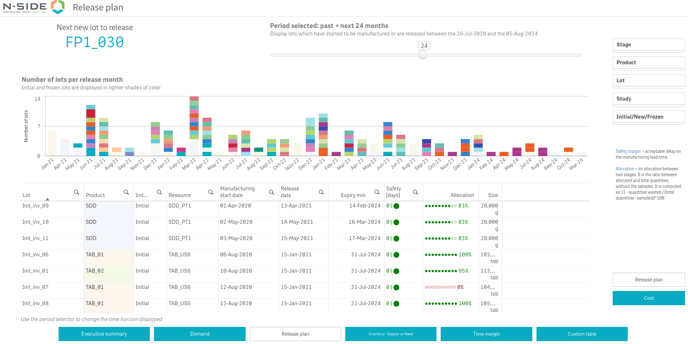
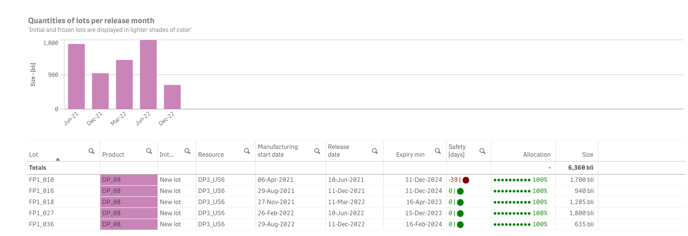
In case a specific product is selected in the Release plan, the vertical axis shows the number of product units.
|
It allows you to answer specific questions such as:
|
Cost
This view displays the total manufacturing cost for the whole dataset through a bar chart and a table.
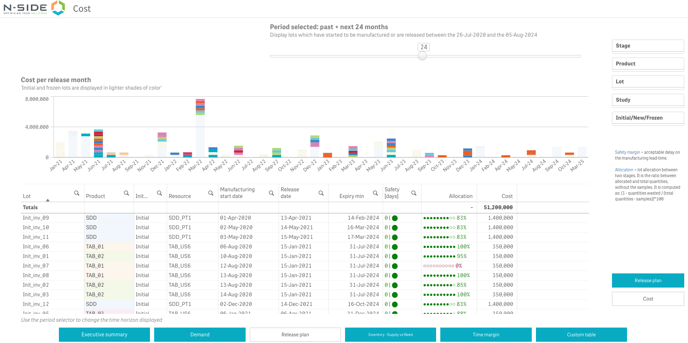
You can also filter your data by selecting specific parts of the chart or the table. Each selection applies to both chart and table.
Useful links: