Table of contents
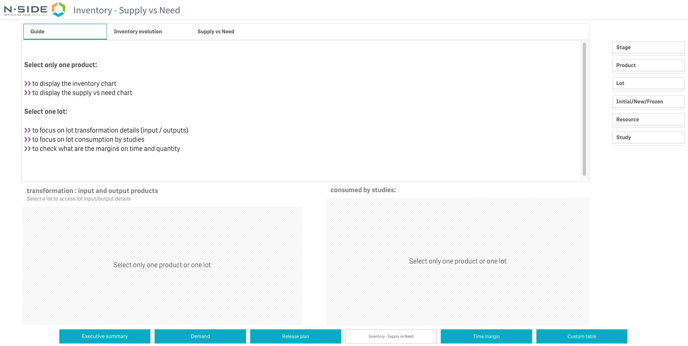
This sheet includes 3 views: Guide, Inventory evolution and Supply vs Need.
Guide
This view gives you hints on how to use this sheet.
Select a product to:
-
Display the inventory chart
-
Display the supply
Select a lot to:
-
Focus on lot transformation details (inputs/outputs)
-
Focus on lot consumption studies
-
Check what are the margins on time and quantity
Inventory evolution
The Inventory chart can be checked at product and lot level. It displays the number of units in stock over time.
|
The inventory for a specific product or lot at tn is computed as: Inventory tn = Inventory tn-1 + Net input - Consumed - Transformed - Expired Where
|
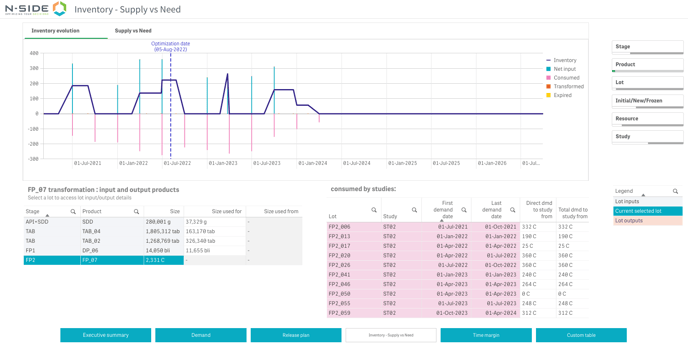
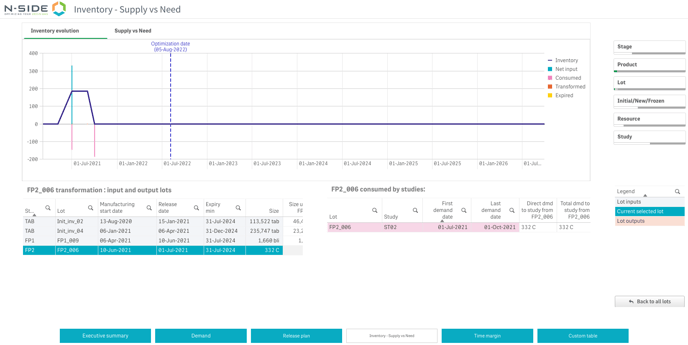
When selecting a lot, both the chart and the left table are adapted to this level of granularity. The left table then answers an additional question: Where does my finished product come from?
|
The Inventory chart answers the following questions:
|
Supply vs Need
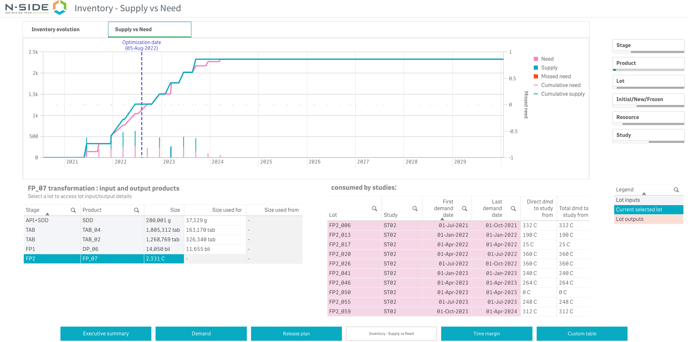
The Supply vs Need chart is only available at product level.
|
It will help you answer the following questions:
|
Useful links: