Table of contents
User flow
-
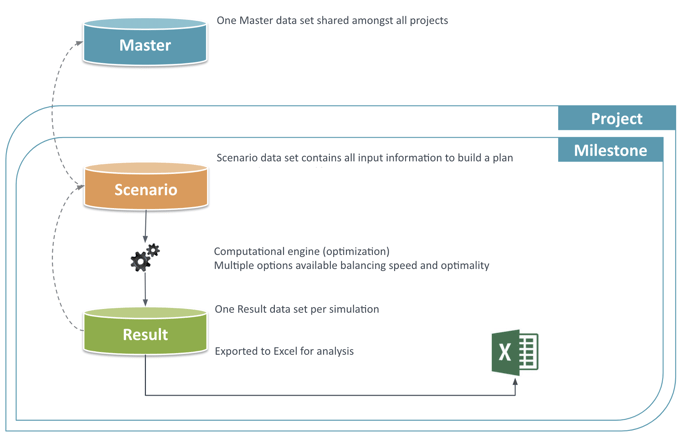
Based on a single standardized and general Master data, containing elements (optimization strategies, studies, products, locations and costs) that are shared amongst all projects, users are able to organize their work around these projects.
-
As time passes users define milestones in which they build scenarios with the specific assumptions they need to take at that point in time.
-
With all the correct data at hand they can optimize their plan.
-
And obtain results that they can analyze (Excel report).
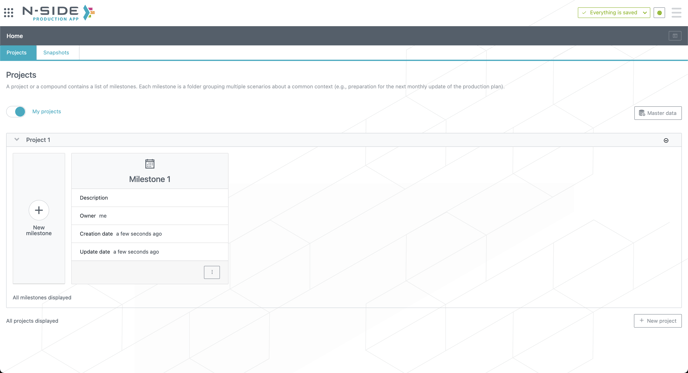
Projects, milestones & scenarios
A project contains a list of milestones and usually concerns 1 API. Each milestone is a folder grouping multiple scenarios about a common context (e.g., preparation for the next monthly update of the production plan).
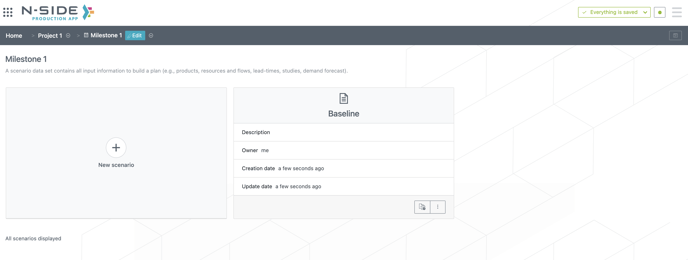
A scenario contains all input information (e.g., products, resources and flows, lead-times, studies, demand forecast) needed to build a(n) (operational) production plan.
Master Data
Master Data refers to the fundamental data building blocks that are shared across multiple projects. One Master Data set is shared amongst all projects and seen by all users. It comprises 5 specific sections : optimization strategies, studies, products, locations, costs.
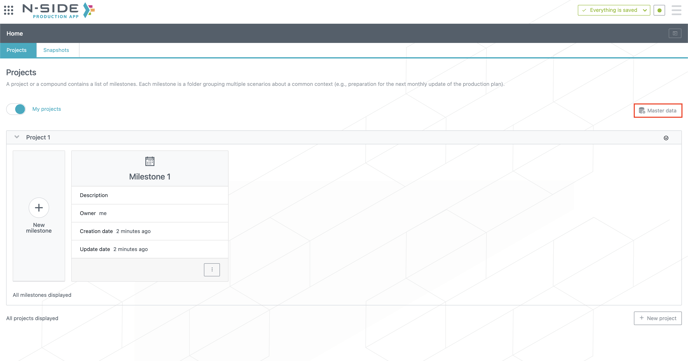
In other words, Master Data allows to:
-
Centralize different concepts and supply chain data.
-
Standardize data across multiple projects and applications.
Snapshots
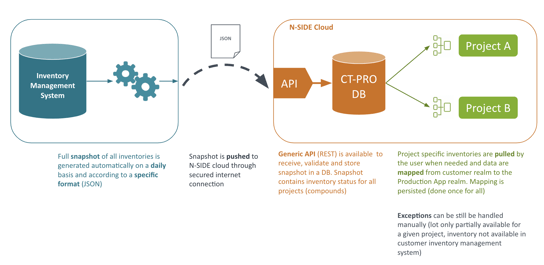
A snapshot contains the inventory status for all projects. The N-SIDE Production App can be integrated with customer Inventory Management System to collect information related to existing inventories. This information is required to take into account material already available and to be considered in the plan. Therefore, a snapshot is the repository inside the N-SIDE Production App for collecting such information for all projects.
Useful links: