![NSIDE_SupplyAPP_FullColorGray_Logo.png]](https://knowledge.n-side.com/hs-fs/hubfs/content-lifeSciences/Logos-LS/NSIDE_SupplyAPP_FullColorGray_Logo.png?height=40&name=NSIDE_SupplyAPP_FullColorGray_Logo.png)
Table of contents
Patient demand
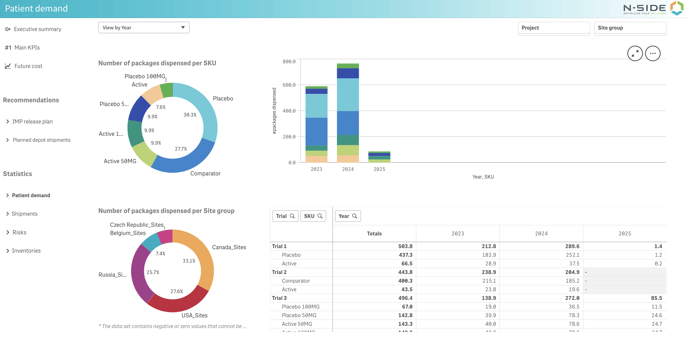
In this sheet, you can see information about the demand at the portfolio level.
In the pie charts on the left, you can see the number of packages dispensed per site group (top) and per SKU (bottom). In the bar chart next to it, you can see the evolution of the portfolio demand throughout time with a split per SKU. This is backed-up by the table on the bottom right containing the same information.
Shipments
In this sheet, you can find information related to both depot and site group shipments.
Depot shipments
In this view, you can find information about the estimated average number of shipments to depots or the estimated average number of kits to be shipped to depots.
You can switch between the two types of information with the top left drop-down menu (see red frame on the image below).
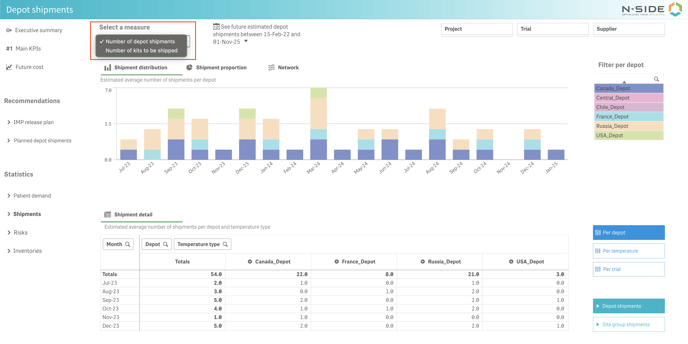
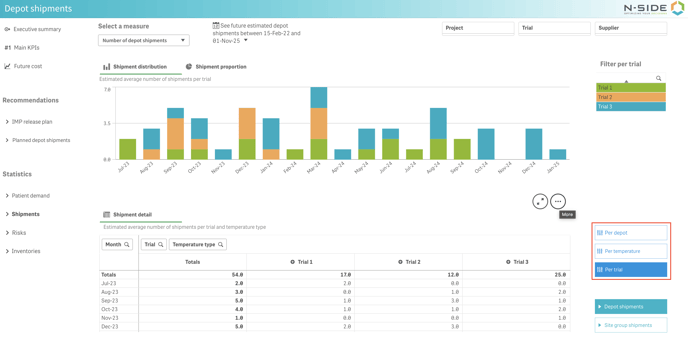
You have access to three types of granularity: Per depot, per temperature and per trial (see red frame on the image below).
Site group shipments
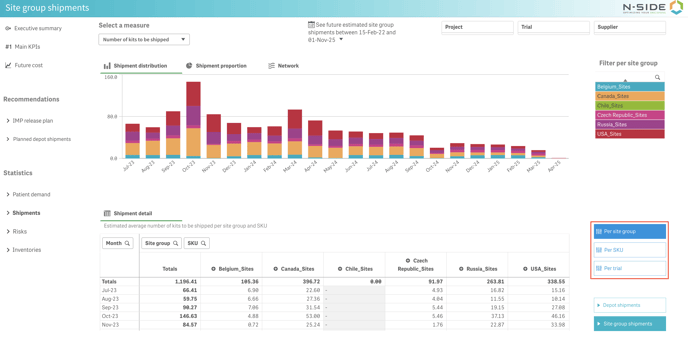
In this view, you can find information about the estimated average number of shipments to site groups or the estimated average number of kits to be shipped to site groups.
You can switch between the two types of information with the top left drop-down menu (see red frame on the image below).
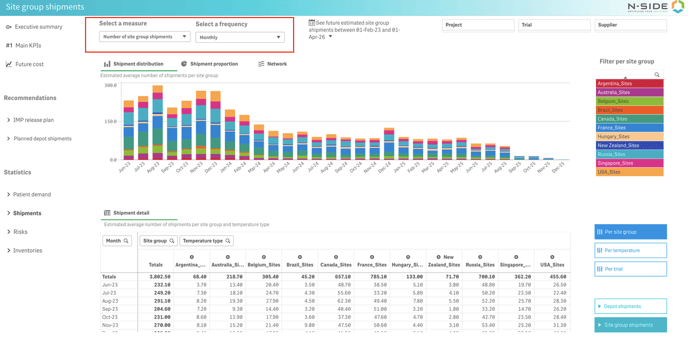
You can choose between monthly and weekly granularity for your site shipments with the frequency selection drop-down menu (next to the measure selection, see red frame on the image above) above the graph. The weekly frequency can either be shown as the week number in the calendar or the date of the corresponding Monday.
You have access to three types of granularity: Per site group and per SKU and per trial (see red frame on the image below).