![NSIDE_SupplyAPP_FullColorGray_Logo.png]](https://knowledge.n-side.com/hs-fs/hubfs/content-lifeSciences/Logos-LS/NSIDE_SupplyAPP_FullColorGray_Logo.png?height=40&name=NSIDE_SupplyAPP_FullColorGray_Logo.png)
In this view, you can visualize the repartition of randomized patients across all site groups and associated sites as well as the number of patients randomized per treatment arm, per patient group and per status.
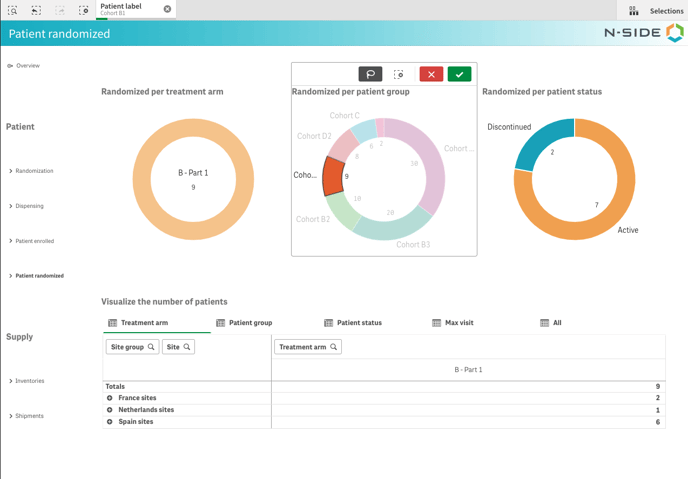
The charts at the top give you an overview of these 3 values and you can directly click on any part of a chart to further filter on this dimension and drive a deeper analysis (see image below).
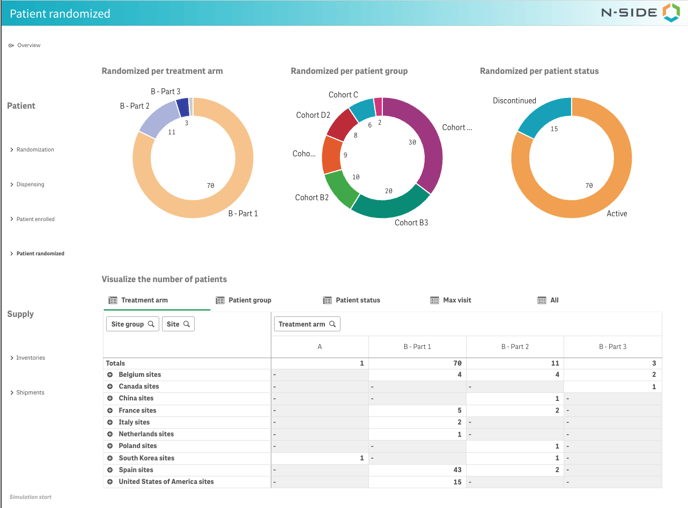
In the table below, you can visualize the number of patients through different dimensions.
With the Treatment arm, Patient group and Patient status tabs, you can visualize the repartition of randomized patients through these dimensions respectively and across all site groups and their associated sites.
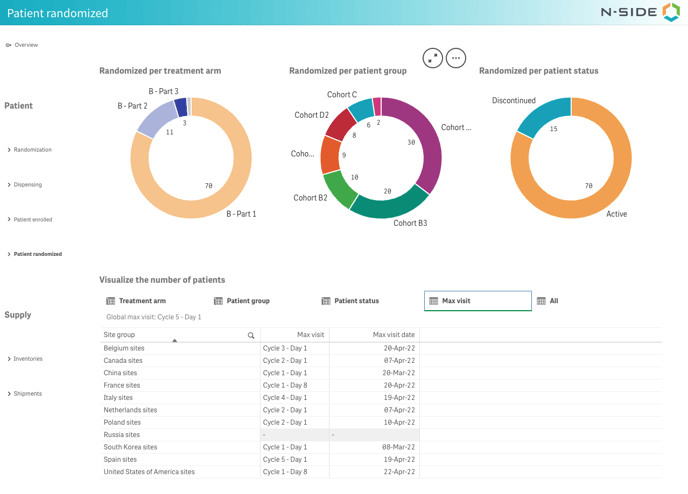
With the Max visit tab, you can easily identify the site group with the most advanced patient in the treatment schedule. This is particularly useful to know if there is a reevaluation required to extend the visit schedule for some treatment characteristics (treatment arm and/or patient group). The “max visit” is available per site group, per treatment arm, per patient group and/or per patient status by clicking on the desired info on the pie charts at the top.
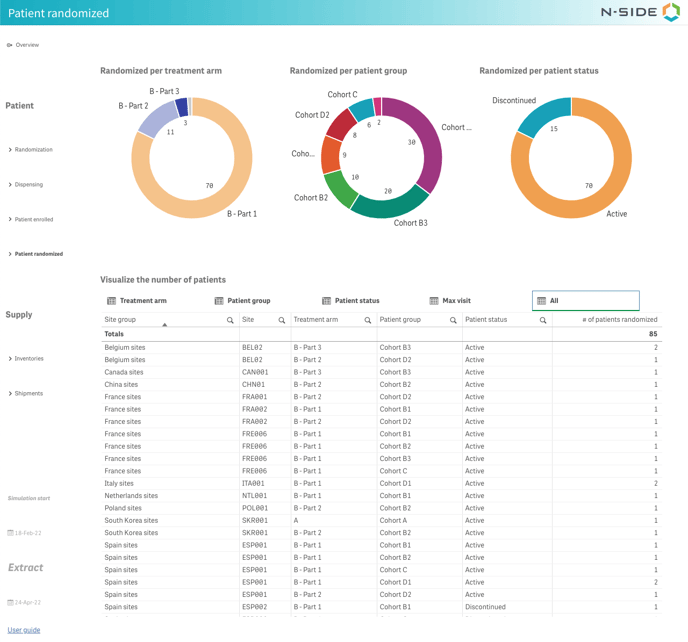
With the All tab, you can visualize the number of patients randomized per site, treatment arm and patient group and patient status.