![logo.svg]](https://knowledge.n-side.com/hubfs/content-lifeSciences/Logos/logo.svg)
Highlights
Analyze your result in the dashboard and adapt your production plan at the same time.
Better interpret the allocation chart thanks to visual and ordering improvements.
Table of contents
1. Analyze your result in the dashboard and adapt your production plan at the same time
2. Get additional information from the allocation chart
1. Analyze your result in the dashboard and adapt your production plan at the same time
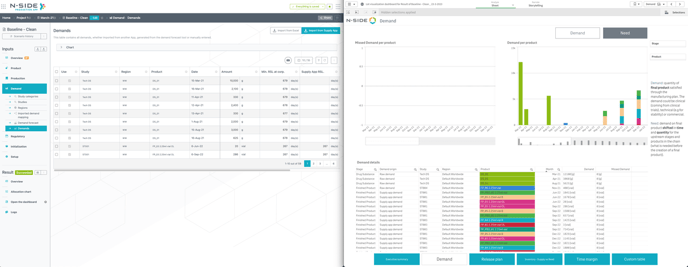
Previously, the “Lot visualization” dashboard was displayed in a side panel which prevented from browsing the App and adapt the production plan at the same time.
With this new version, the dashboard is now displayed automatically in a new tab which offers you a better user experience:
-
The dashboard is displayed full screen.
-
You can browse the App with the dashboard on the side which is useful if you need to adjust your production plan.
2. Get additional information from the allocation chart
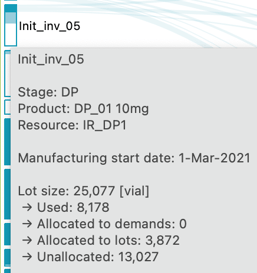
There is now a distinction between used and unallocated quantities in the allocation chart so that you can better interpret these results. The used quantities (consumed in the past) appear now in light blue while unallocated quantities (not allocated in the future at the time of the optimization) remain transparent.
Additionally, you can now update the product ordering in the allocation chart as it is now based on the order defined in the “Products” table. Therefore, in case the allocation chart order is not the expected one, you can now :
-
Reorder the products (action at the top right of the table)
-
Optimize again the scenario
→ The product order is updated in the allocation chart (see video below).
3. Other updates
When importing demands from the Supply App, all imported demands are now always mapped as there is no more “Ignore mapping” action in the “Mapping window”.
4. Bug fix
The following issue is now fixed:
-
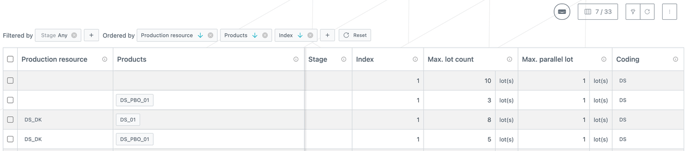
When a “Stage: All” filter was set and some lines did not have any stage defined, those lines were filtered out.

All the lines now remain visible with the “Stage: Any” filter (replacing “Stage: All”) applied, even those with no defined stage.