
Table of contents
Tagging a result as a decision
By tagging a result as the latest decision, you indicate which result has been selected to be operationally implemented for a project.
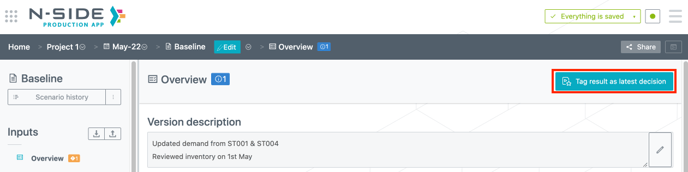
As soon as a result exists for a specific scenario version, it can be tagged as latest decision of the project from the Scenario overview or from the Result overview by clicking (red frame on the screenshot below).
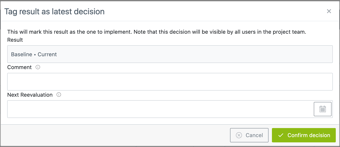
The action opens a modal where you have the opportunity to comment the taken decision as well as specify a “next reevaluation” date.
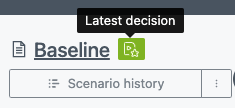
A green badge appears next to the scenario name once the tag is set.
note
Note
The Tag result as latest decision button is available for all user profiles as long as they are project owners or contributors.
Note
The Tag result as latest decision button is available for all user profiles as long as they are project owners or contributors.
Access the latest project decision
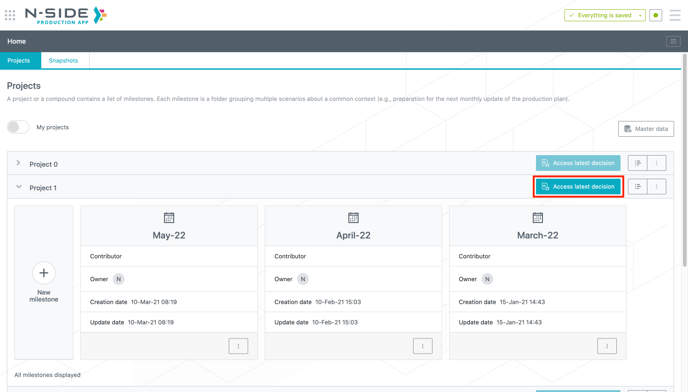
The latest project decision can be accessed directly from the main Production app page.
The Access latest decision button (red frame on the screenshot below) leads to the result overview page of the tagged scenario version.
Access the project decision history
Any user is able to reach the Decision history from:
-
The main Production app page
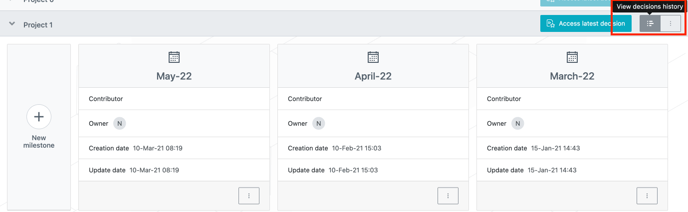
-
The project contextual menu
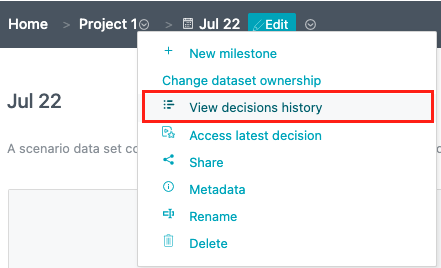
This view gathers all decisions taken for a specific project, who took them and when, as well as the next reevaluation date.
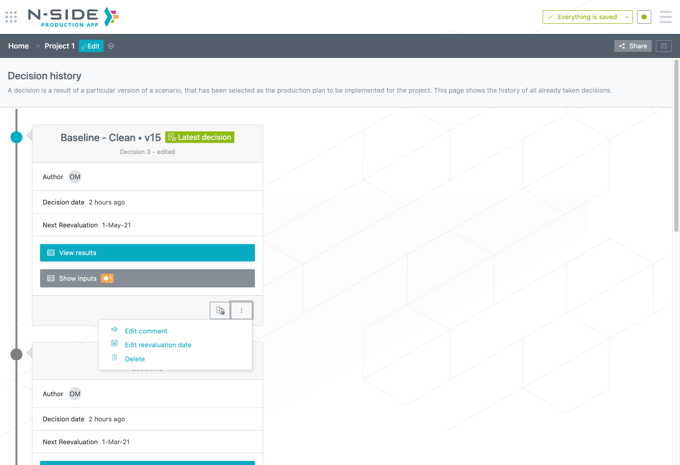
You can perform several actions from this view:
-
Add scenario versions to the comparison basket.
-
Edit a decision comment .
-
Edit the next reevaluation date. Note that this edition leads to the creation of a new decision, similar to the previous one but with an updated reevaluation date.
-
Delete a decision.
Useful links :