
1. Advanced Sharing Capabilities [Project & Trial scenarios]
From now on, the collaboration of several users within the same project or trial will be greatly eased.
1.1 Sharing a Trial or Project Folder
When you share a project or trial folder with contributors, it now automatically shares with them all scenarios includes in that folder that you have permissions to share (i.e. scenarios where you are owner or contributor).
The sharing panel shows the scenarios that will be impacted and the sharing details of each contributor and each scenario.
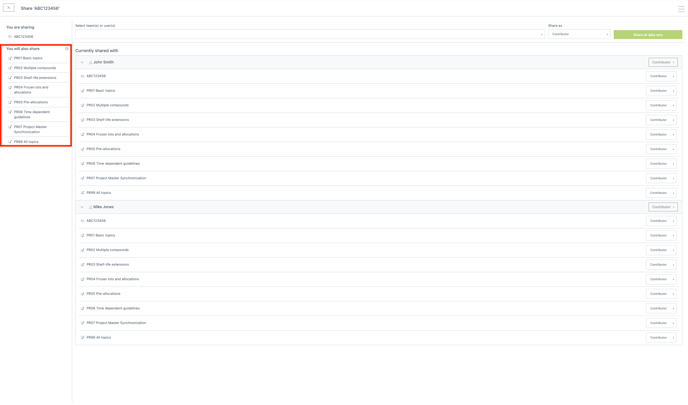
By clicking “No access” in the dropdown menu on the right of a user in this panel, you can stop sharing a folder with the user. This action will automatically stop sharing all scenarios within the folder.
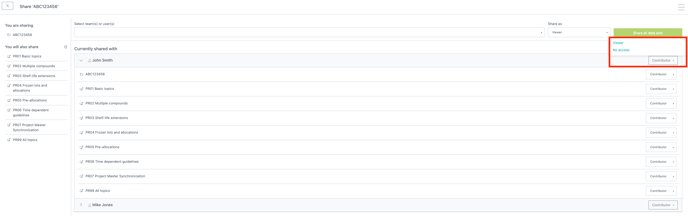
In this panel, you can also manage each scenario individually with a similar menu next to each scenario.
1.2 Impacts of Sharing a Complete Folder
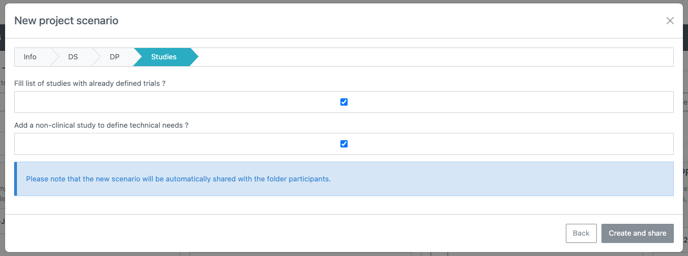
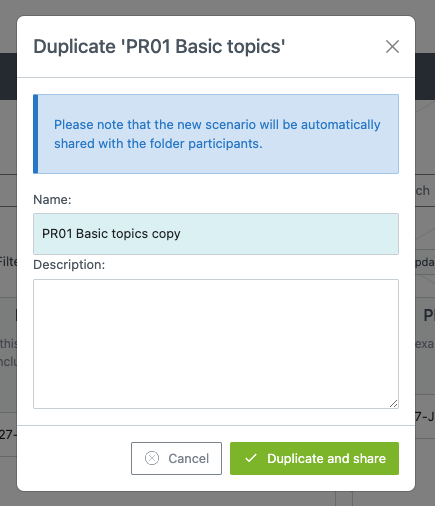
When a project or trial scenario is created, imported or duplicated, this new scenario will be automatically shared with the contributors of the parent folder in which it is created.
An information banner informs you that the scenario will be shared, and the improved confirm button label makes the sharing action clear.
In this panel, you can also manage each scenario individually with a similar menu next to each scenario.
1.3 Impacts on Existing Folders and Scenarios
This new version doesn’t migrate the existing sharing. In other words, scenarios inside a folder won’t be automatically shared with the existing folder’s participant. If this is nevertheless something you want to do, you should remove the folder-level access and then share it back with the desired user(s).
2. Import demands from Lighthouse [Trial scenarios]
You can now import demand forecasts from Lighthouse trials into the Prediction app. This process is similar to the existing method for importing demands from the Supply app.
2.1 Import demands from any published version in a Lighthouse workspace
You can seamlessly import the supply plan forecasted by Lighthouse by creating a Supply plan only trial scenario in the Prediction app. This feature was previously only available for Supply app results.
The External result section offers the possibility to Import external result. This allows you to select any trial created in Lighthouse, and within that trial, to select the published version you would like to import. To ease the selection, these are sorted with the most recently published versions displayed at the top of the list.
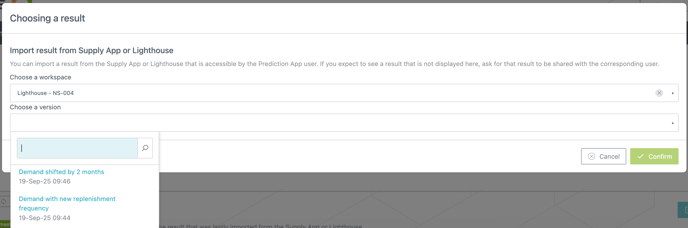
Once confirmed, the action imports the External section visible in the Orders tab of Lighthouse.
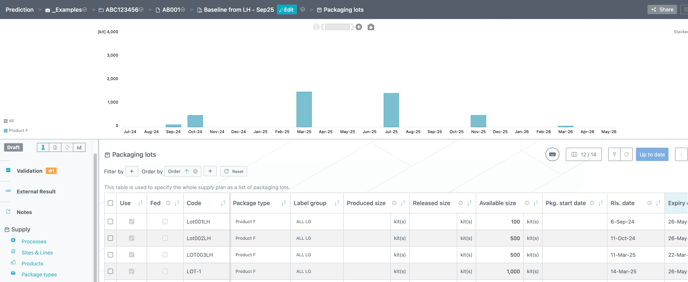
We recommend to import “non labeled” demand in Prediction app. In case your Lighthouse dispensed products contain a label group, we advise you to create bill of materials in Lighthouse to transform the demand from labeled products to non labeled products.
2.2 Manually account for Prediction app decisions in your Lighthouse forecast
Currently, any decisions made in a Prediction app project scenario, or project master, regarding the release of packaging lots must be manually synchronized with Lighthouse trials. You will find the advised steps to achieve this synchronization in the corresponding how to documentation.
3. Various improvements
3.1 Visualize frozen allocations directly in the cockpit [Project scenarios]
Lot Allocation cockpit has been improved to give more details to the user:
-
The tooltip now displays the “total allocation size” and the “frozen allocation size”
-
The allocation “band” is now darker for fully frozen/fixed allocation (i.e. the “total allocation size” equals the “frozen allocation size”)
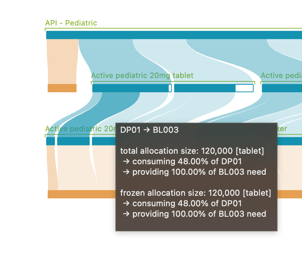
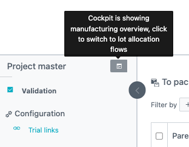
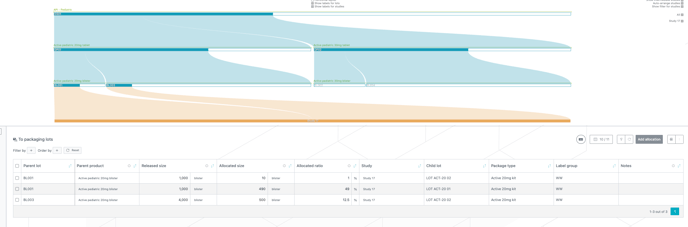
3.2 New lot allocation cockpit in project master view [Project master]
3.3 Update to Inventory Coverage Duration Metric [Project & Trial scenarios]
Previously:
The Inventory Coverage Duration shown in the cockpit, Excel report, and available through specific API reflected how long the end-of-month inventory was used to cover demand — even partially. In other words, it measured the duration over which the inventory was consumed, regardless of whether all demands over the duration were fully met. However, this metric was sometimes interpreted by users as representing full coverage of demand.
Now:
The definition of Inventory Coverage Duration has been updated. It now indicates the period during which the available inventory fully covers demand — a stricter and more meaningful interpretation.
The original metric (duration of partial demand coverage) has been retained under a new name: Inventory Usage Duration. This distinction helps avoid confusion between full and partial coverage. Both metrics are now available in the cockpit for project scenario. For trial scenario, only the former metric is available, which is now labelled as Inventory Usage Duration.
In the Excel export and API for project scenario, only the updated Inventory Coverage Duration is provided — reflecting the new definition.
Impact:
-
You may observe a significant change in the reported values for Inventory Coverage Duration due to this redefinition.
-
The updated Inventory Coverage Duration is always less than or equal to the previously reported value (now called Inventory Usage Duration).
-
This change improves the relevance of comparing Inventory Coverage Duration with the Coverage Duration Safety Margin (pink curve), offering a clearer view of whether required safety levels are actually met.
Example:
The graph below illustrates the difference between Inventory Usage Duration (blue line) and Inventory Coverage Duration (green line):

3.4 Enhancements
-
Improved coherence of the filtering behaviour between the scenario “card view” and “list view”.
-
Adminrole can now update Project Master metadata. -
It is now possible to import a result from the Supply App even if the Project Master has errors in it.
-
The modal that opens when hitting the “Add new XXX” button present in many different tables in the application now contains a “Cancel” button allowing you to cancel the addition of the new element.
-
Admin users now have the option to export assumptions of all scenarios, including non baselines. This option is available through a checkbox in the action modal.
-
Improved some explanations in the Excel report.
3.5 Bug fixes
-
“Use” attribute in “To packaging lots” table is now properly handled.
-
Fixed tooltips not showing up in the cockpit in some cases.
-
Improved some UI glitches in the cockpit.
In case you have any question regarding this release, please contact your account partner manager through the service desk.
In case you have any feedback regarding this release, please contact our product team through the service desk.