
This release mainly focuses on enhancing the Global Performance Dashboard, delivering simplified overviews, detailed KPI insights, and new deviation analysis tools for better trial performance tracking and decision-making.
2 - Global performance dashboard
2.2 - New deviation analysis tabs
4 - Improved expiry replacement management
1 - Key features updates
-
Global performance dashboard:
-
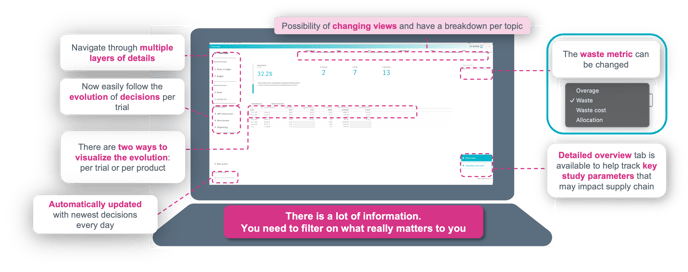
Revamped Overview: Simplified status on waste and cost across program trials, highlighting deviations from previous decisions or quarters.
-
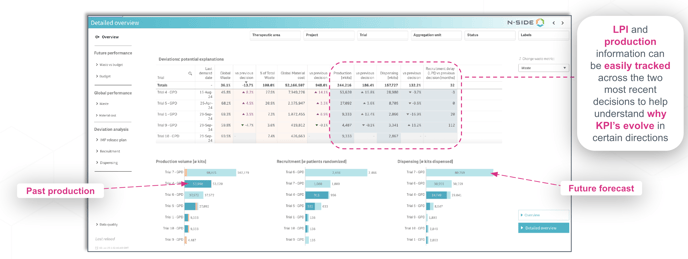
Detailed Overview: Deeper dive into study KPIs with progress graphs for production, recruitment, and dispensing (bold past values, shaded forecasts).
-
New Deviation Analysis Tabs: Compare recruitment, dispensing, and IMP production across trials and decisions; includes comments, bold/shaded visualizations, and detailed trial views.
-
Raw Data Access: Exportable sheets for waste, material costs, IMP release plans, and recruitment to enable custom analyses.
-
-
Reduced Simulation Time: Optimizations for faster computations, especially in studies with many visits, expiries, or kit switches.
-
Improved Expiry Replacement Management: Enhanced handling of in-transit kits and Do-not-Count rules to better align with IRT systems.
2 - Global performance dashboard
2.1 - Revamped overview
Simplified overview that aims at providing a status on waste and cost for all trials included the portfolio and highlighting deviations since the previous decision or baseline.
Detailed overview
This new overview provides a deeper look into key study KPI’s and track study progression across different decisions pushed. Study progress can be visualized as production quantity, recruitment, and dispensing graphs show both actuals (bolded) and forecasted (lighter) values.
2.2 - New deviation analysis tabs
Three new tabs to support comparison analysis across decisions and better understand where performance deviation come from.
Recruitment
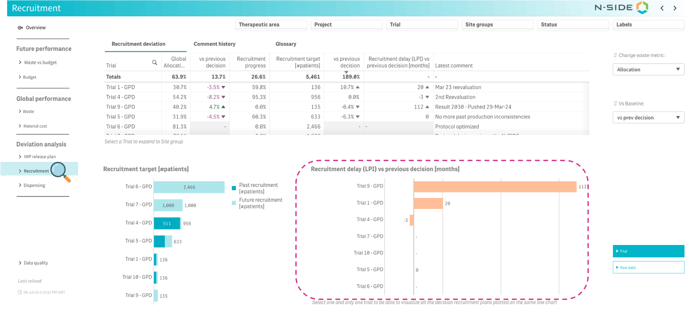
In this tab, recruitment projections can be compared across trials.
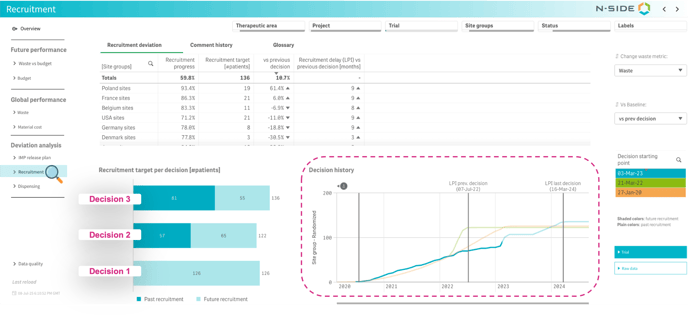
When focussing on one trial, past recruitment is shown in bold, and future forecasted recruitment is shaded, allowing for easy visualization of trial’s evolution across decisions.
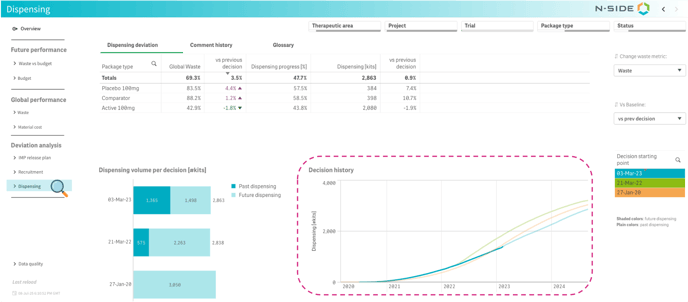
Dispensing
In this tab, dispensing projections can be visualized and compared with previous decisions.
Past dispensing is shown in bold, and future forecasted dispensing is shaded, allowing for easy visualization of each trial’s evolution
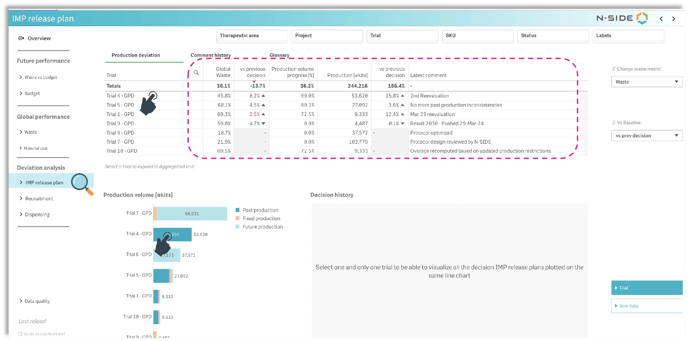
IMP plan
In this tab, total production quantity per trial can be easily visualized based on the last decision, along with the comments linked to the decision.
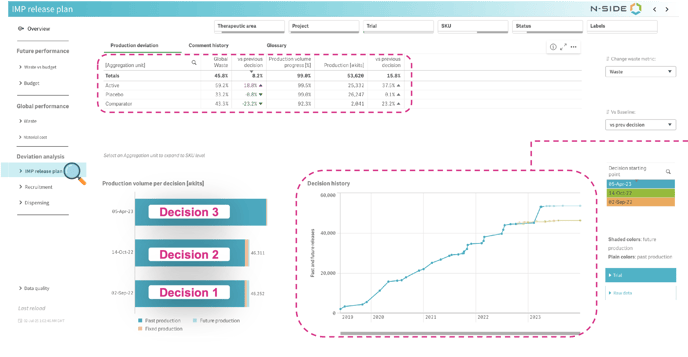
IMP plan - Detailed trial view
Total production quantity previously produced is shown in bold, and future forecasted production is shaded, allowing for easy visualization of each trial’s evolution
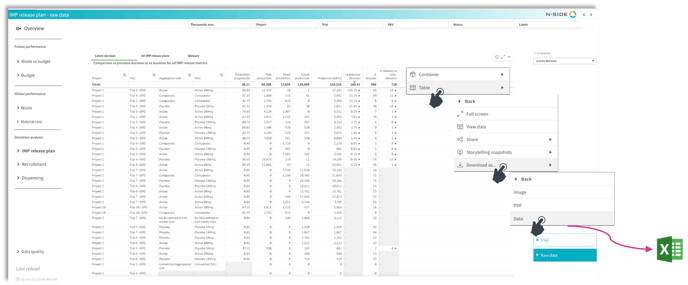
2.3 - Raw data
Raw data sheet are now available in the following tabs:
Global performance:
-
Waste
-
Material cost
Deviation analysis:
-
IMP release plan
-
Recruitment
Raw data can be used to perform deeper analysis and can easily be exported to Excel.
3 - Reduce simulation time
Simulation computation have been optimised to reduce simulation time.
This improvement will mainly impact studies with:
-
A lot of visits - Depending on the plan, a considerable gain in time might be achieved.
-
A lot of different expiries - Small impact.
-
Kit switch - Small impact
4 - Improved expiry replacement management
The Supply App now better manages kits in transit and their Do-not-Count to more accurately mimic IRT systems and better handle expiry replacements events.