
Highlights
Experience an improved Master Data management.
Table of contents
1. Experience an improved Master Data management
2. Update your Master Data through API integration
1. Experience an improved Master Data management
1.1. One place for all Master Data
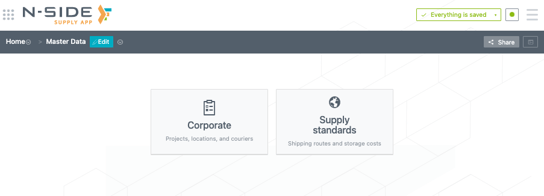
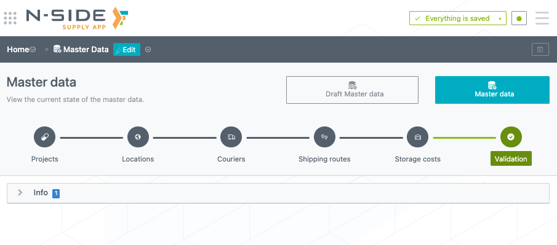
The previous “Corporate” and “Supply standards” data sets have been merged into one Master Data to centralize information and facilitate the update process:
-
Before Supply.2022.6
-
With Supply.2022.6
1.2. A more streamlined update process
A new “Draft Master Data” section
Changes are now done in a new “Draft Master Data” section before being applied in the “Master Data”.
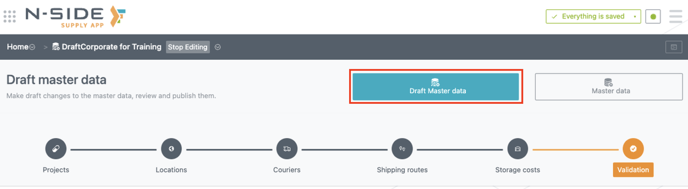
Any user with an All access user profile or a Corporate manager role can edit this “Draft Master Data”. For the latter, having another user profile and having the Master Data to be shared with you is not needed anymore.
A new and safer user flow
In order to avoid any unwanted changes that could potentially lead to some references issues, the Master Data should not be directly updated anymore.
You can now use the “Draft Master Data” as a template to do your changes and, once you are done, you can publish them in the “Master Data”.
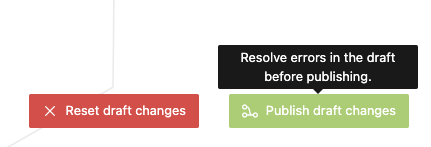
You can review the changes before publishing and, in the case there are any unauthorized changes, you have to resolve the errors before being able to publish.
📖 User documentation
See “How to perform a Master Data update” for more information on how to use this new feature.
A reduced service interruption time
As a consequence, the service interruption time is reduced. In fact, as the preparation of the update is done in the “Draft Master Data”, users do not need to log out of the Supply App during this update. This is only required at the moment the publishing action to the “Master Data” is done
1.3. More autonomy for Power Users
As a Power User, you can now update project references when working in the Supply App. Once the Master Data update is done, you can be autonomous to update these references and do not need a Corporate Manager anymore to update those.
2. Update your Master Data through API integration
You can use an API integration between your IT system and the Supply App to fill in the “Draft Master Data” in an automated way. Working with an API limits the manual actions needed in the whole update process. If doing so, the only remaining manual actions are to review and publish the changes to the Master Data.
To know more on how to enable this capability and configure your systems to connect to the N-SIDE Supply App, please reach out to your N-SIDE main point of contact or to the N-SIDE Support team.
3. User documentation
The following articles are added (or have been modified) to enrich the documentation and help you in your usage of the N-SIDE Supply App: