Table of contents
- Get the forecasted CO2e emissions of your trial supply chain
Get the forecasted CO2e emissions of your trial supply chain
You can enter CO2e emissions (CO2 equivalent emissions) values in your trials to get the CO2e emissions for the forecasted productions and for the forecasted shipments.
Input CO2 values in the Master data
CO2e emissions can be entered in the Master data for Shippings routes and SKUs.
A CO2e emissions column (expressed in tons) is available in the dedicated tables and will be used to compute the forecasted CO2e emissions of a trial. Those tables are independent and can be filled without filling the CO2e emissions of the other one.
Shipping routes
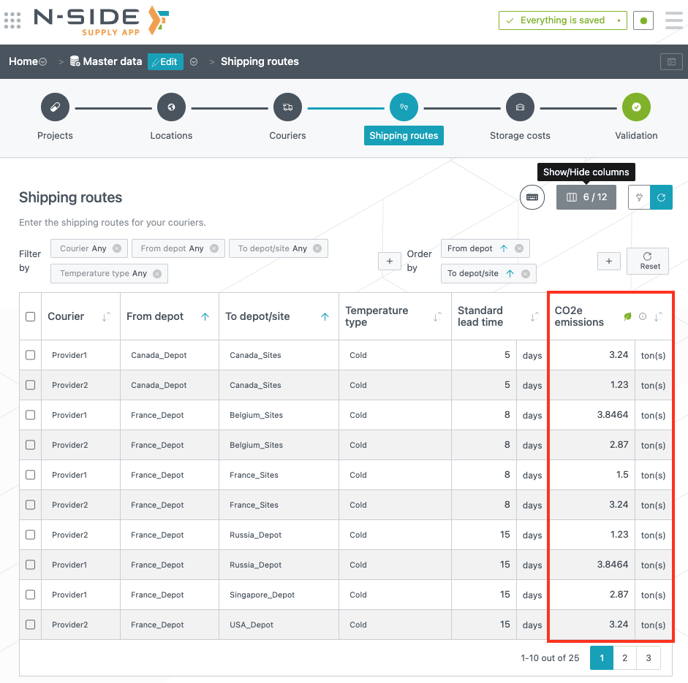
For each of the corporate shipping routes, you can define the associated CO2e emissions along that route in the CO2e emissions column (see image below).
SKUs
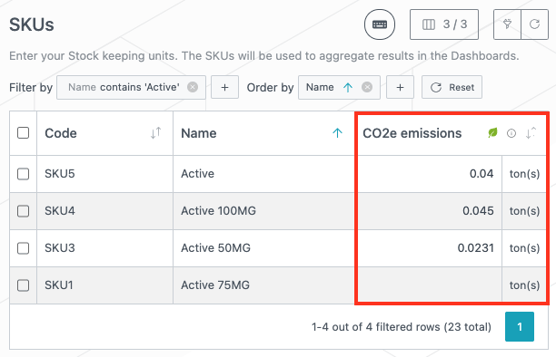
For each of the SKUs, you can define the associated CO2e emissions (see image below). As SKUs can be linked to products at trial level those emissions can include many steps of the production process: DS, DP, packaging, etc.
Get forecasted CO2e emissions for your trials
Once CO2e emissions are entered in the Master data, you can leverage them in your trials to get forecasted productions and shipments CO2e emissions.
Production CO2e emissions
Production CO2e emissions will be computed only if there are green CO2e icons for SKUs in the Products table (in the Trial master data, see image below).
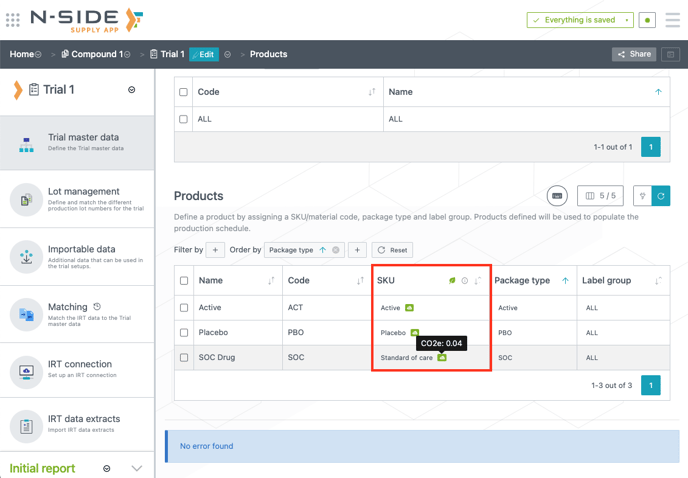
Hovering those icons will display the CO2e value from Master data. In fact, when CO2e emissions are entered in the Master data, existing SKUs used in Trial master data will automatically use the associated CO2e emissions.
ℹ️ The Productions CO2e emissions is the sum (over each product) of [(forecasted quantity to produce) x (CO2e value associated to that product)].
Shipment CO2e emissions
Shipments CO2e emissions will be computed if there are CO2e values in the Routes table (in the Network setup, see image below).
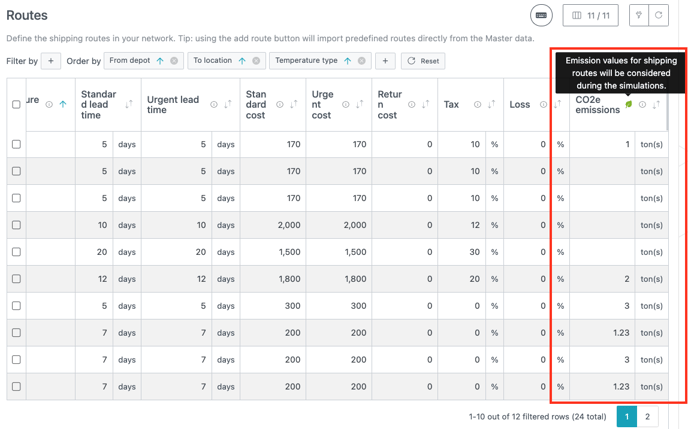
Once CO2e emissions have been entered in the Master data, existing Routes used in the Network setup will not automatically use the associated CO2e emissions.
ℹ️ The Shipments CO2e emissions is the sum (over each route) of [(forecasted number of shipments along that route) x (CO2e value associated to that route)].
Total forecasted CO2e emissions of a trial
ℹ️ Trial CO2e emissions = Shipments CO2e emissions + Productions CO2e emissions
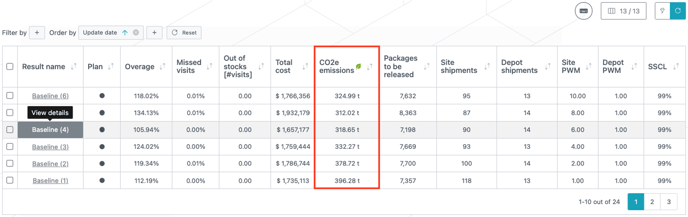
Both Productions and Shipments CO2e emissions can be entered independently of each other. Depending on wether you used one or both in your trials, the forecasted CO2e emissions of the trial will be the aggregation of the two. This KPI is displayed in the results table (see image below) and can be used as a new dimension for decisions or can be used to showcase the forecasted emissions of a trial (Note that N/A will be displayed for results without CO2e emissions).