
Context
If you are modeling your depot shipments for a plan that has "Awaiting" stocks at local depots (in the Initial state), a warning banner (see red frame in the image below) will inform you about the depots for which the kits are not available yet. 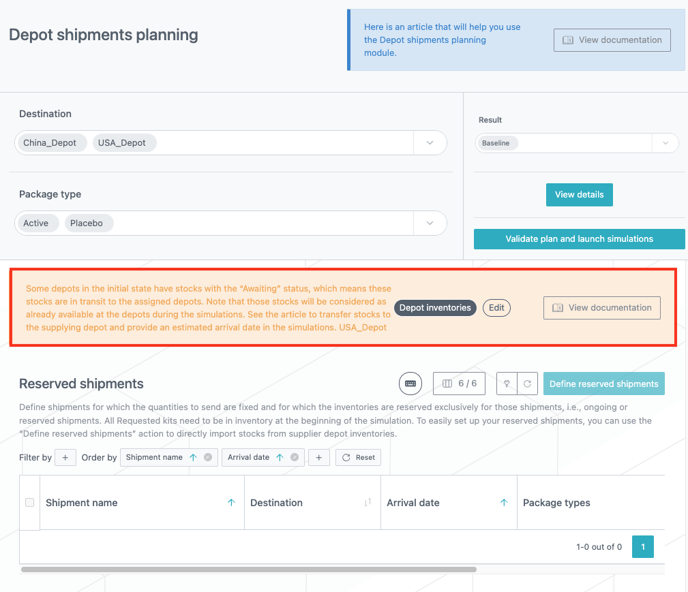
In this example, it is the case of the USA depot (see the banner in the image above) for which we are waiting for a depot shipment of 300 active kits that are in transit and should arrive on July 21st 2024 (according to the provider’s estimated time of arrival).
Even though these kits have an "Awaiting" status, they will be considered as already available at the US depot in the simulations. Therefore, the kits could be sent to sites by the system before they reach the local depot (in real life) which could hide potential short term risk.
In order for simulations to take the realistic arrival date into consideration on which stocks will be available, we will transfer the "Awaiting" kits back to the central depot and then create a reserved shipment with those.
Step 1: Transfer the "Awaiting" kits to the central depot
In the Initial state, we can see the USA depot has 300 kits (lot 3) with the "Awaiting" status (see red frame in the image below).
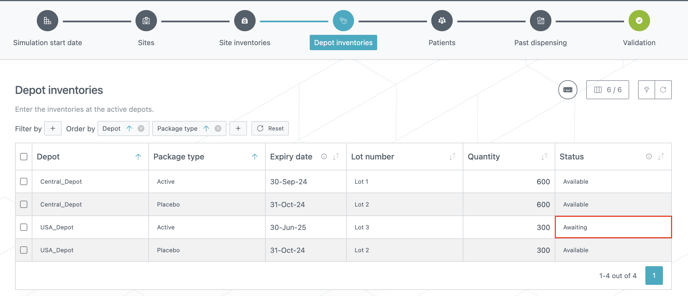
In order to be able to create the reserved shipment, we will transfer those kits to the central depot in the following manner: the depot will be changed from "USA depot" to "Central depot" and the status will be changed from "Awaiting" to "Available" (see red frame in the image below).
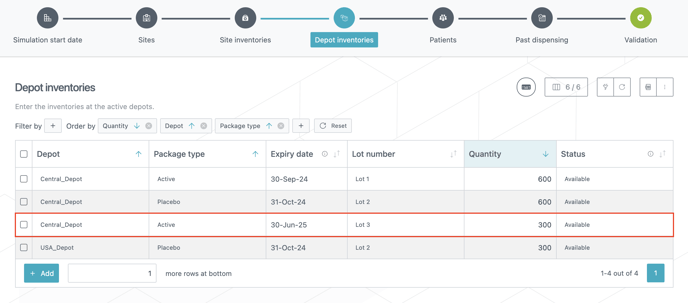
The 300 active kits of lot 3 are now at the central depot with the "Available" status.
Step 2: Create a reserved shipment with the kits in transit
In the Depot shipments planning module, go to the Reserved shipments table and click Define reserved shipments (see red frame in the image below).
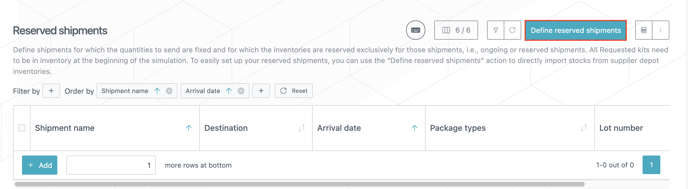
Choose the lot 3 (that you just transferred from the USA depot to the central depot) in the table and click Import depot inventory (see red frame in the image below).
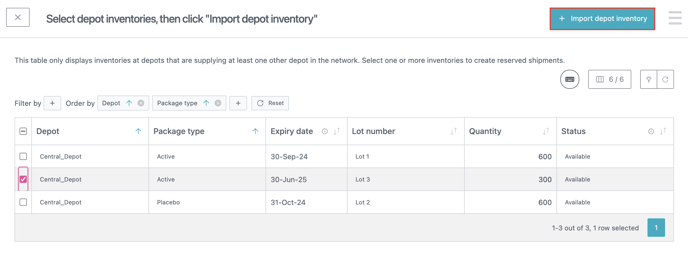
A new row is added to the Reserved shipments table with the package types, the lot number and the requested quantity. You now need to enter a shipment name, a destination (USA depot) and the arrival date (July 21st 2024) to complete the shipment (see red frame in the image below).
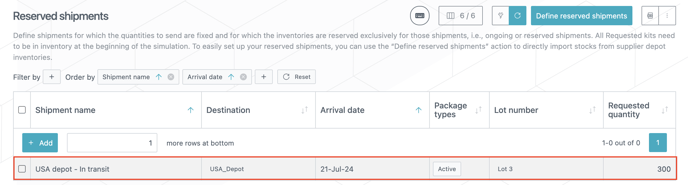
This reserved shipment is now ready to be taken into account when you launch simulations and will mimic the reality of the shipment in transit to the USA depot: kits will be available (for site shipments) at the USA depot starting from the arrival date and not before.