
Table of contents
With this view, you can compare the actual recruitment data of your trial with the recruitment data that was forecasted on the last simulation start date at different levels: global, per depots and per site groups.
On the chart, you can visualize randomization curves : minimum, average and maximum estimated (i.e. cone of confidence) in addition to the actuals. In the table below, you can see the value of each line at the date of the extract as well as the forecasted accuracy.
ℹ️ The forecasted accuracy represents the deviation between forecast and actuals at the date of the extract where:
-
100%: perfect match between actual value and averaged forecast value.
-
< 100%: actual value < average forecasted value (e.g. under recruitment)
-
> 100%: actual value > average forecasted value (e.g. over recruitment)
Monitor at global level
The chart and the table display the global level by default when arriving on the view and if no filter is applied (see image below).
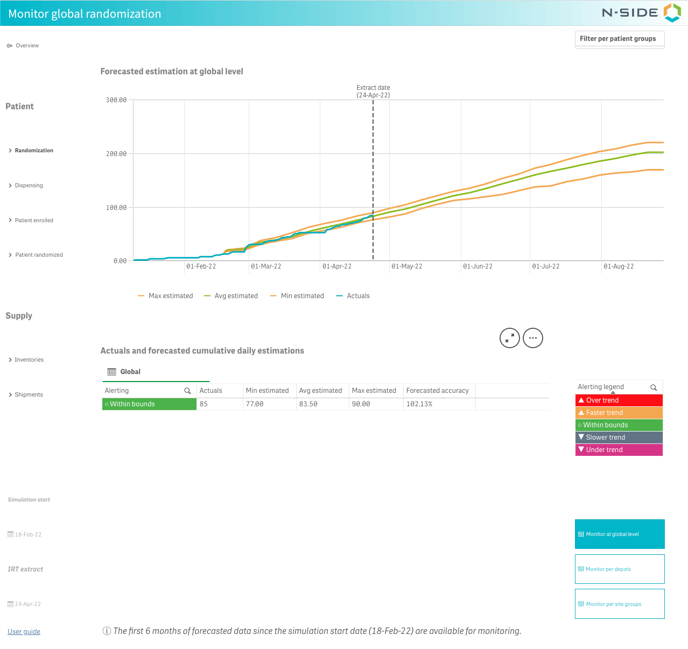
The table displays the actual recruiting trend over all depots, meaning that, even if it is within bounds of the forecasted recruitment, some depots may out-balance each other and be over or under trend regardless.
Monitor per depots
In this view, the table displays the actuals and the forecasted daily estimations per depot. Thanks to the alerting levels, you can quickly see if a depot is within bound or over/under trend.
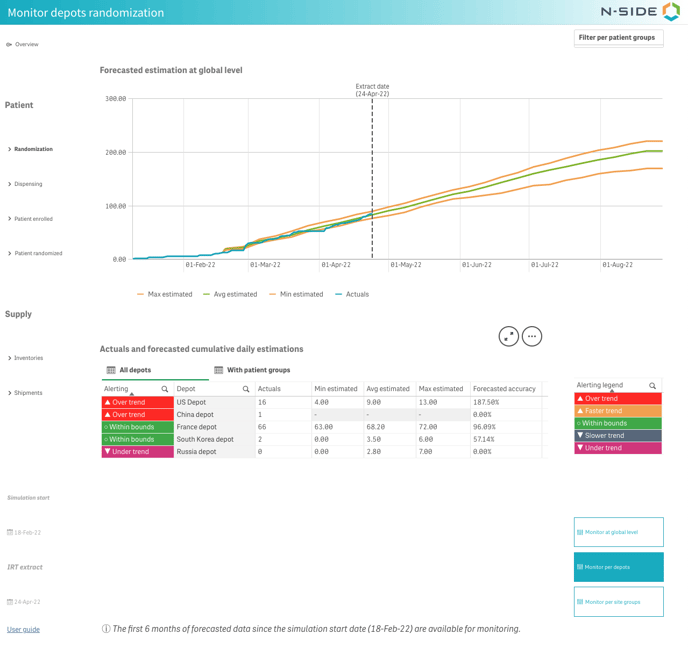
You can filter on a trend or a depot by clicking on it and confirming the selection ✅.
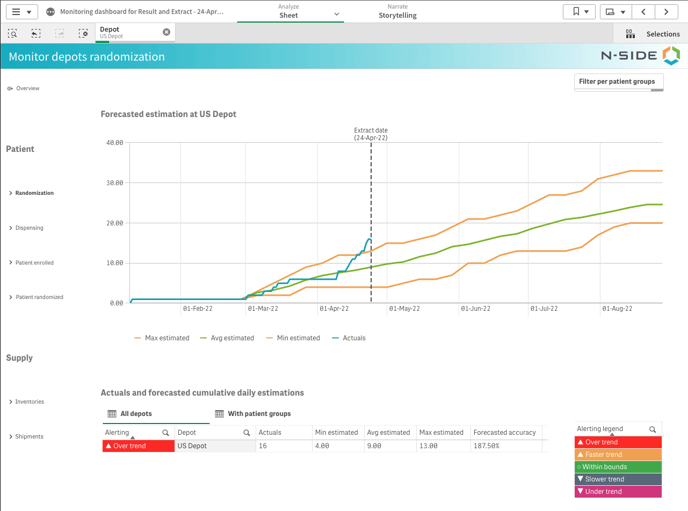
Clicking on a depot changes the chart so that you can visualize the curves for that specific depot (see image below).
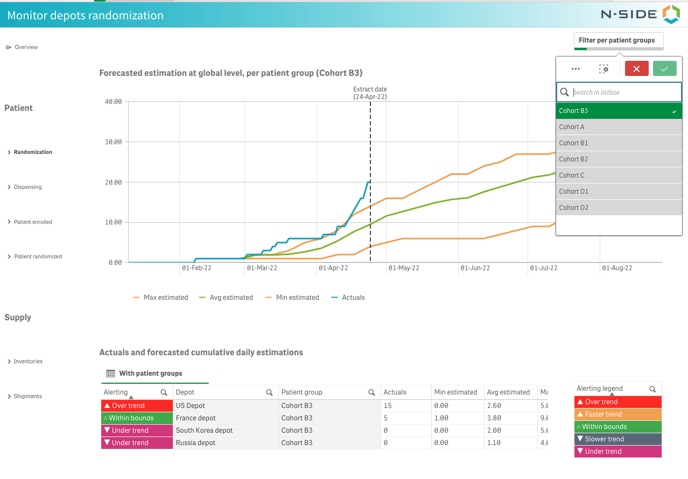
You can also visualize the same data with a patient group granularity by clicking With patient groups at the top of the table. As with depots, clicking on a patient group updates the chart (see image below).
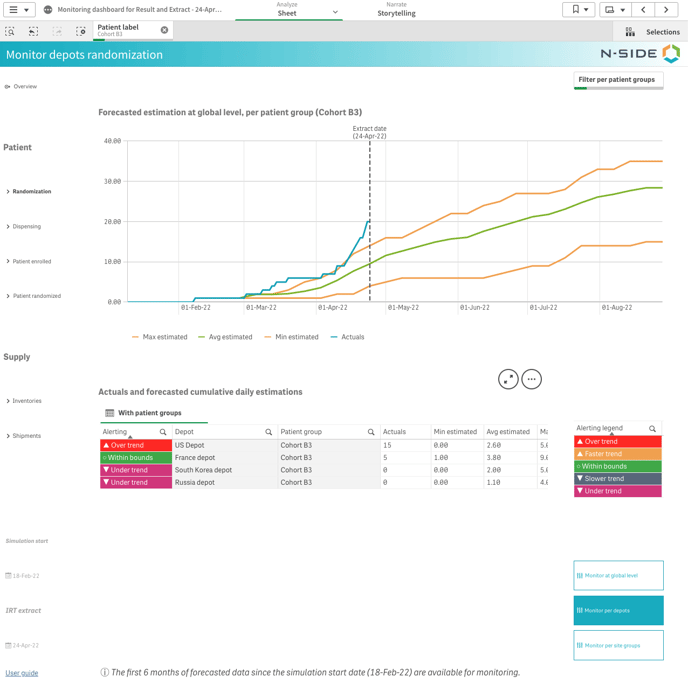
You can also use the patient groups filter at the top right of the page to directly filter on a patient group (see image below).
Monitor per site groups
This view can be used in the same way as the one with depots. You can visualize actuals and forecasted cumulative daily estimations with a site group or patient group granularity and the chart changes when you select one of these. You can also use the patient group filter.
|
Multiple route configurations - Important information
|
|
Only the first 6 months of forecasted data since the previous simulation start date are available for monitoring. Indeed, if forecasts have not been generated in the past 6 months, then you should consider running new simulations with the latest IRT data extract available. A picture of the trial for a larger time horizon is available in the Results dashboard. |