
The Master Data is the common database from which all trials will get some information. The goal of the Master Data is to centralize key generic information that apply to all trials.
You can access the Master Data by clicking Master data on trials selection page of the N-SIDE Supply App (see image below).

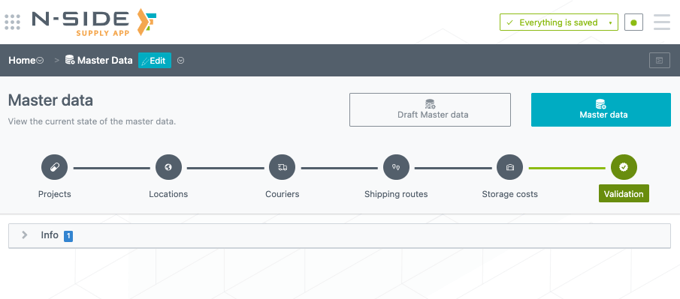
Inside, you can access two sections: Draft Master Data and Master Data that are comprising the same tabs for data entry (i.e., projects, locations, couriers, shipping routes, storage costs) and validation of the data (see image below).
❗Important information
-
All changes must be done in the Draft Master Data and then be published in the Master Data.
-
Only All access users or users with a Corporate manager role can edit the Draft Master Data.
-
In order to avoid any unwanted changes that could potentially lead to some references issues, the Master Data should not be directly updated.
📖 To learn how to properly update the Master data please read this article: How to perform a Master Data update.
Impacts of updating the Master Data
The Master Data is used by all trials as references. Modifying the Master Data has to be done carefully, because of the impacts that can be observed at trial level. More precisely, there are 3 different types of actions that can be made on the Master Data:
-
Add new content. This can be done to add a new type of medication to the database, for example. An addition in the Master Data will not have any impact at trial level, as no existing data/reference will be modified.
-
Edit existing content. This can be done to modify standard lead times, for example. Editing existing information will trigger an alert at trial setups and plans level requesting the user to automatically update the references coming from the Master Data.
-
Delete existing content. This can be done in the case where some data are not applicable to any trial anymore. Deleting data will create errors in all the setups/plans that were using it. This will render these setups/plans unusable until manually fixed by the user.
This is why modifying the Master Data should be done carefully.
|
If in doubt, please contact the N-SIDE team through the N-SIDE Service Desk. In the case where unwanted changes were made to any data in the Suite, these changes can be discarded by clicking on the “bin” icon right next to Save when exiting edit mode. |