
Table of contents
In this section, you can enter additional data that can be used in the setups, at the exception of the past production that are only used to compute global waste and overage.
The different tables can be filled automatically via an API integration or via a normal edit action. If data is pushed in these tables through an API integration, the content of the tables is replaced. This is reminded in the banner at the top of the tables. The automatic import through API integration can be disabled if needed.
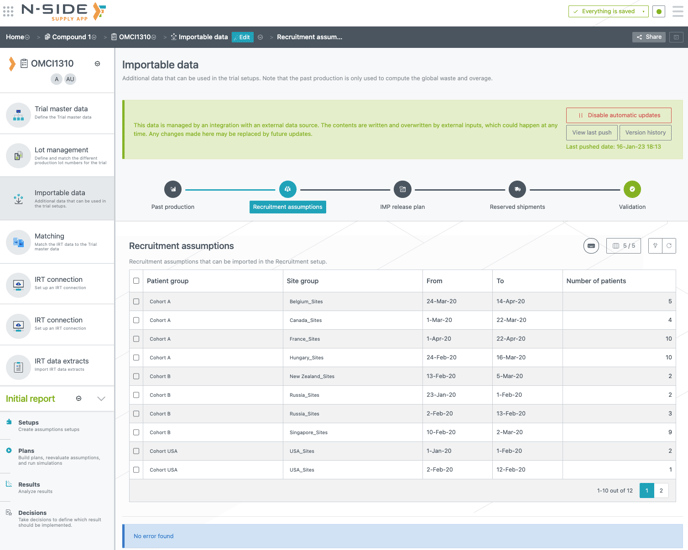
To know more on how to enable this capability and configure your systems to connect to the N-SIDE Supply App, please reach out to your N-SIDE main point of contact or to the N-SIDE Support team.
Past production
In this table, you can add past productions data to allow the system to compute global waste and overage in the simulations. This means that the computation of the waste and overage will be based on data entered in this table together with data entered in the IMP release plan tab of the production setup.
Several conditions need to be met for the system to take these past productions into account:
-
Each release product must have at least an availability date and a released quantity (lot number and expiry date being optional).
-
The availability date must be set strictly before the Simulation start date of the initial state. If not, the row will be ignored from the computations.
📝 Note
This dataset is an optional input. If not used, the overage and waste computations will be given on a future basis.
Recruitment assumptions, IMP release plan and reserved shipments
The content of these 3 table can be imported in the corresponding setups once it has been reviewed.
You can import it in the targeted setups with the import action, accessible through the “3 dots menu” (see red frames on the images below):
-
Recruitment setup → Recruitment assumptions table:
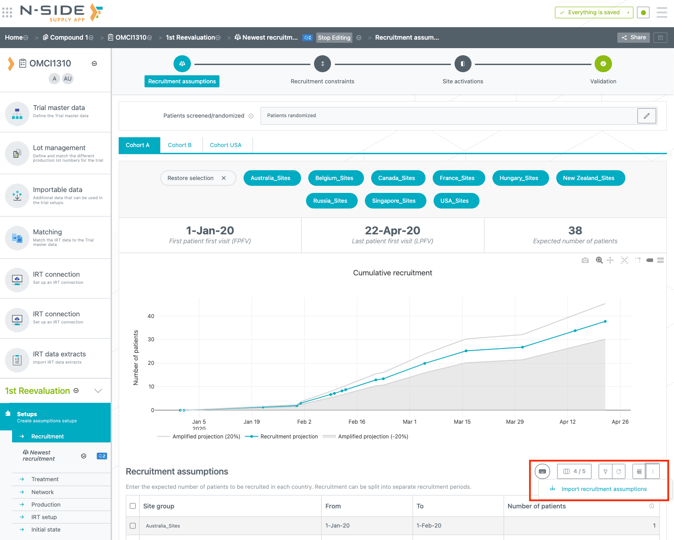
-
Production setup → IMP Release plan table:
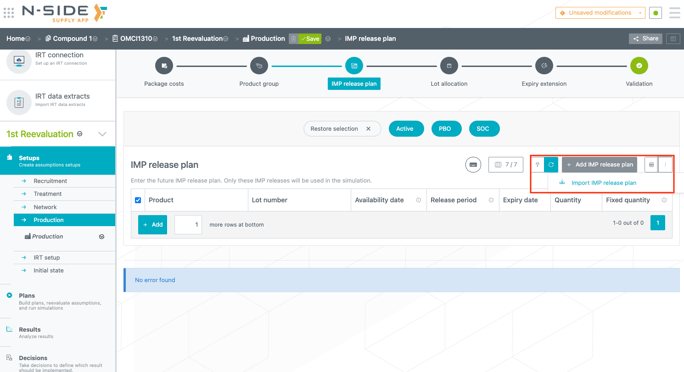
-
Depot shipments planning → Reserved shipments table
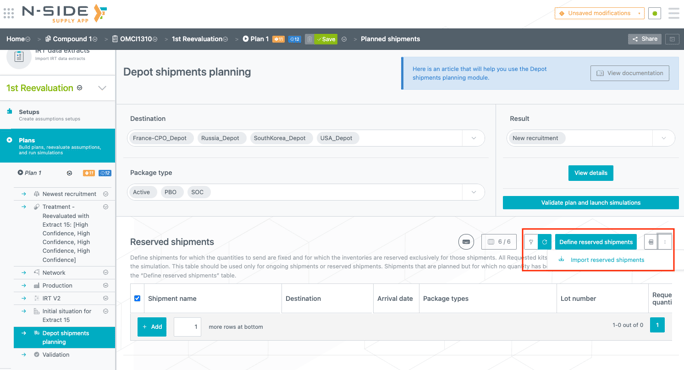
The import action opens a side panel where you can visualize data actually imported in the Importable data section and that will be imported again in the table.
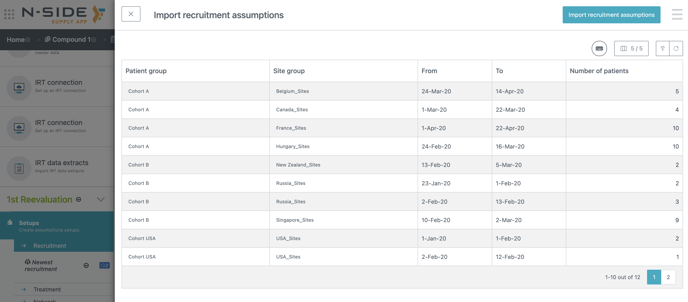
Importing data in both Recruitment assumptions and Reserved shipments tables will replace all existing rows with the ones from the Importable data section.
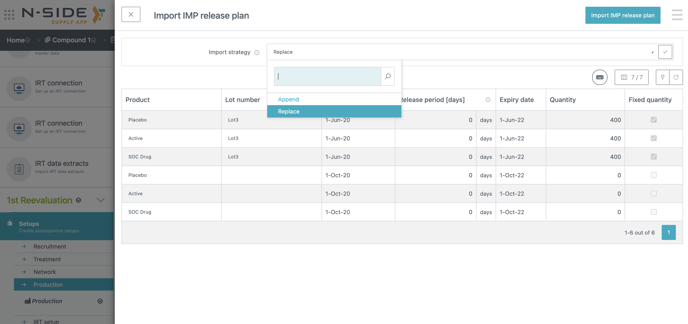
For the IMP release plan, you can choose between two import strategies (see image below):
-
Replace: Replace all existing rows with the ones coming from the “Importable data” table.
-
Append: For each product, append the table by keeping the existing production that will be released after the latest newly imported one. With this import strategy, the long term productions that were already part of the IMP release plan will remain.
Important information
Those 3 tables are not used in the simulations. They are used as an entry point in the Suite to review the customer data and ease the import in the corresponding tables from plans/setups.
❗Important information
Those 3 tables are not used in the simulations. They are used as an entry point in the Suite to review the customer data and ease the import in the corresponding tables from plans/setups.