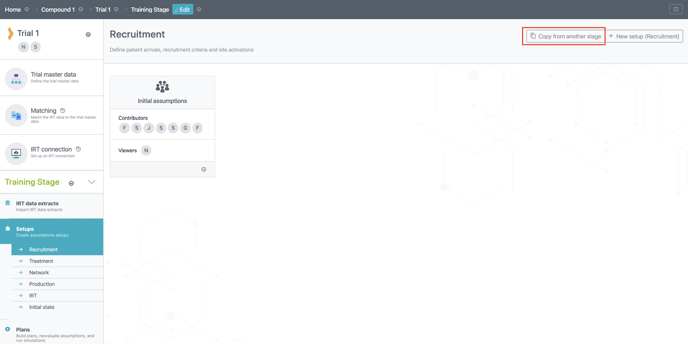
Creating a new stage can be useful in order to separate different sets of analysis within a trial and keep your scenarios clean and organized e.g. from one reevaluation to the next. With a new stage you can define a new Initial state through an updated IRT data extract that is automatically imported to the latest stage. However, the “target stage” of the IRT connection will have to be changed manually to correspond to the new stage in order for the IRT data extract to be updated accordingly. It is also possible to copy setups from previous stages, in order to avoid double-labor by re-entering trial information. This is especially useful if the trial has some setups that did not change significantly.
Creating a new stage is a simple two-steps process:
-
Access the trial in the N-SIDE Supply App.
-
On the left hand side, click on the largest of the two arrows next to the name of the stage and then click on +New stage.
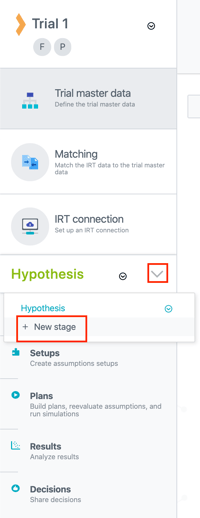
Make sure you give the stages a clear naming (e.g. 1st reevaluation, 2nd reevaluation and add the date ) in order to later find your plans easily when needed.
You can then create all your setups, or copy them from another stage, and create a plan.
If you want to copy a setup from another stage, click on Copy from another stage on the selected setup tab: