
Table of contents
Authentication method
The N-SIDE Suite is a web-based software platform providing tools and services for the optimization and analysis of the clinical trials supply chain. The platform can be accessed via the Google Chrome web browser.
The authentication way of logging in the the N-SIDE Suite is a Single Sign On system (called SSO).
The N-SIDE Suite is using an Identity Provider (Amazon Cognito) that controls and manages user authentication by providing a user login or the ability to verify a user’s identity :
-
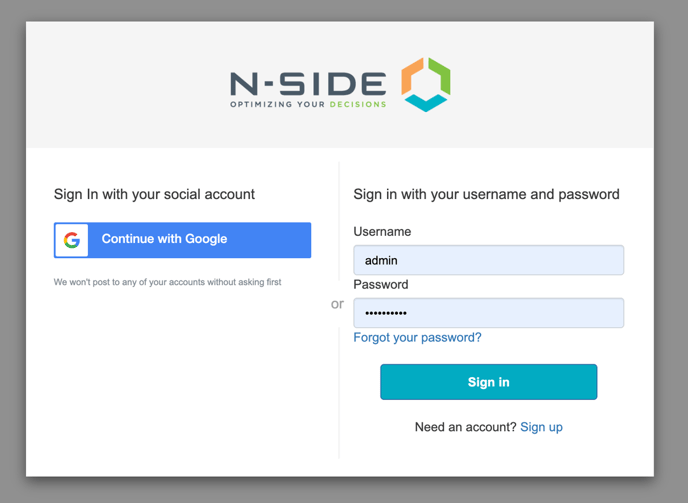
Option 1: Credentials
The user can choose to log in via a username and password.
That this option is by default and will always be available on each instance.
📝 Note
With this option, there is a maximum number of attempts to enter a correct password. Moreover, a user using the credentials method is able to reset the password without asking a user with the User Manager.
-
Option 2: Corporate account
The client Active Directory can be connected to the Suite. The user is thus able to login via an existing corporate account. When logging in, the Suite will verify the user’s identity. Clients using their corporate account can thus follow their own security policy.
Users with User Manager role
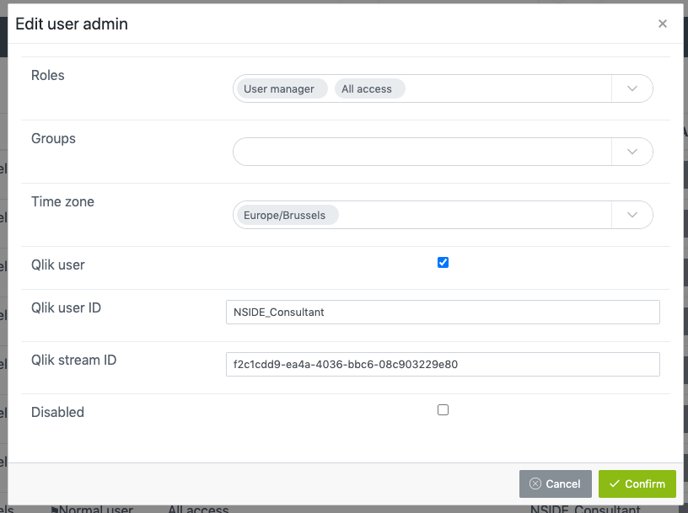
With the SSO, the User Manager can create/edit and provide credentials to a user by clicking on the buttons highlighted in red in the images below.

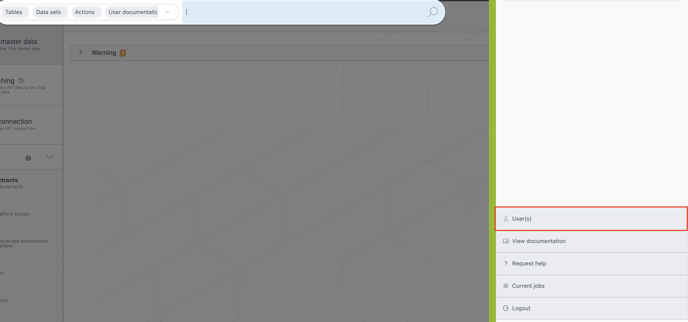
Edit a user



📝 Note
The User Manager cannot enter/modify personal information of a user and his password is not required to validate a change.
Add a user and provide access to the user
.png&size=35861&height=162&width=1331&alt=)

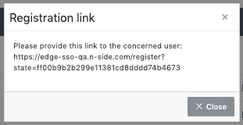
With the SSO, N-SIDE will send the user an email with a registration link.This link will be available once to the user manager, when clicking on confirm in the user creation modal window.
This registration link is valid for one week from its creation and is deactivated once the user is registered. If a new one is needed after this period of time, the Generate registration link action can be used.
The Generate registration link action can also be used to change the account linked to an already registered user. For example if a user wants to change the way of logging in.
Username in the N-SIDE Suite
When creating the user for the first time, the username is a temporary name that will be replaced by the full name the user will choose at registration.
-
If the user chooses to log in with credentials, the N-SIDE Suite will use the full name used at registration.
-
If the user chooses to log in with a corporate account, the N-SIDE Suite will use the full name from the client’s corporate account.