
Highlights
Experience a more intuitive use of decisions.
Better match the reality of your shipments schedule by defining reserved shipments to ensure fulfilment of ongoing shipments and shipments for which inventory is reserved.
Leverage Strategic dashboard updates that are bringing views of the global depot shipment planning across trials and the aggregated past and future productions of a portfolio.
Table of contents
-
Ensure fulfilment of ongoing shipments and shipments for which inventory is reserved
- Strategic dashboard updates
- Overage computation updates
- User documentation
1. Discover and experience a clearer “decision” concept
In the context of the Supply App, a decision is a result you choose as the one to implement. Therefore, in order to simplify the decision making process and improve the visibility of the decisions and the associated recommendations to implement for a specific trial, the “decision” concept is not associated to portfolios anymore.
Take decisions more simply
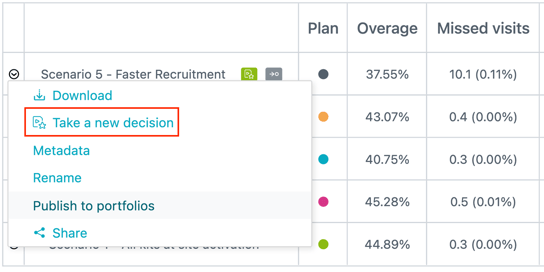
You can now take a decision from:
-
The “Decisions” section
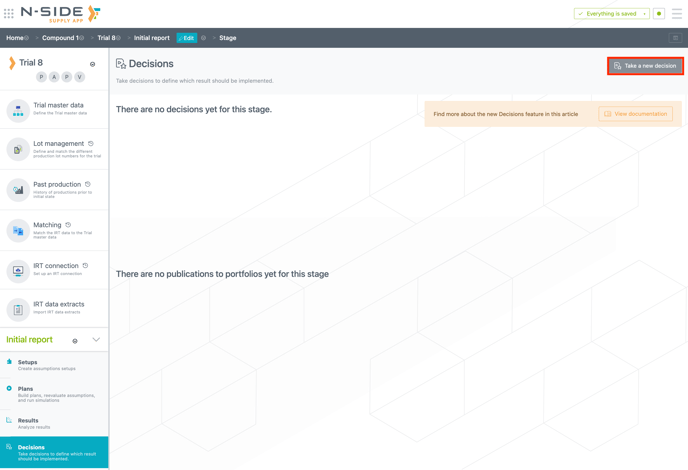
-
The contextual menu of a specific result.
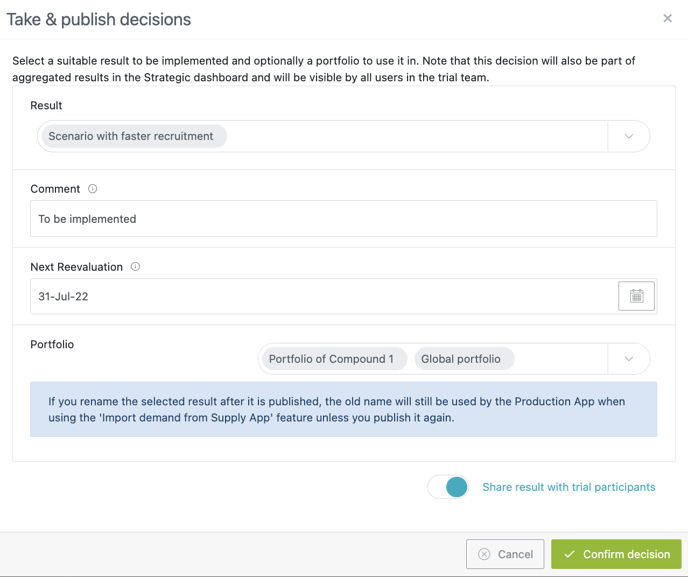
A new window opens up where you can add a comment (optional), choose a next reevaluation date (mandatory) and choose to publish (or not) your decision to one or several portfolios.
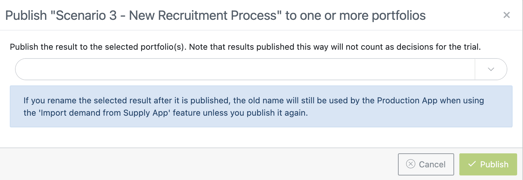
You can now also simply publish a result to one or several portfolios from the same contextual menu.
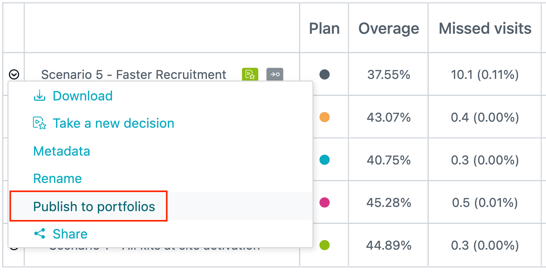
A new window opens up where you can choose one or several portfolios in which to publish your result.
Experience enhanced accessibility and visibility for decisions
Access relevant information through new decision cards
For each trial where a decision is taken, a decision card is created in the “Decisions” section and in the homepage. From each decision card you can directly access the latest chosen result. The decision card is updated each time you take a new decision for the same trial.
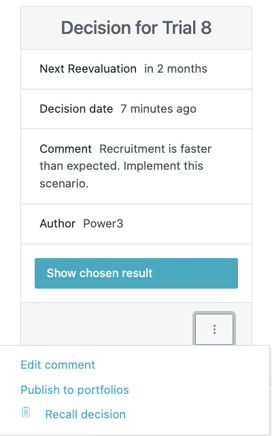
From the contextual menu of a card you can:
-
Edit the comment
-
Recall the decision: the previous decision (if any) will again become the latest one.
-
Publish the result to one or multiple portfolios
Access decisions from the home page
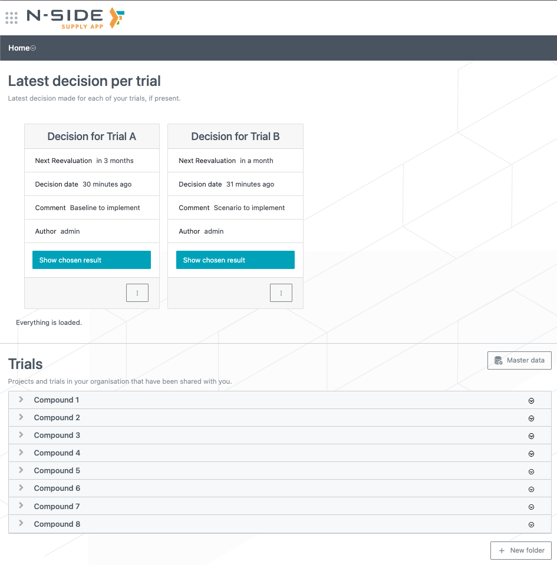
You can now quickly access the decisions from the Supply App home page via a new “Latest decision per trial” section replacing the “Latest monitored trials”. From each decision card, you can access the chosen result and its associated dashboards.
Improved “Decisions” section
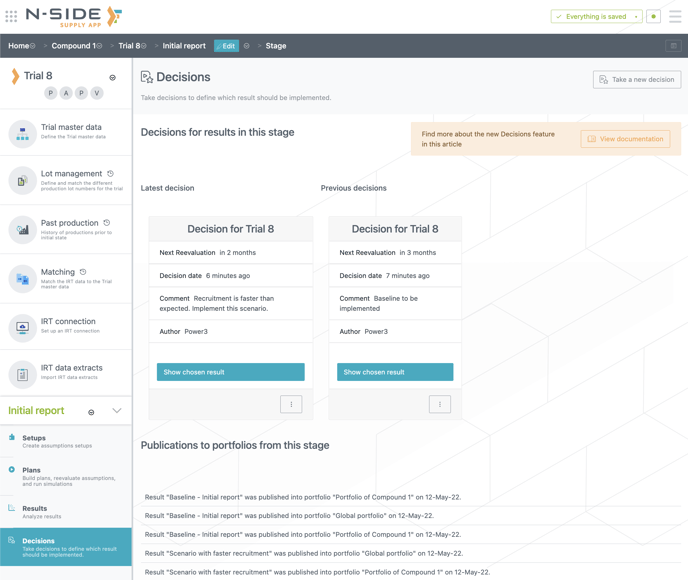
You can find all decisions and all publications to portfolios for a trial stage. This way, you can easily find the portfolio(s) where results have been published.
⚠️ Results published to portfolios prior to this version will have the publication badge but no decision cards. You will have to take a new decision for the decision card to be created.
2. Ensure fulfilment of ongoing shipments and shipments for which inventory is reserved
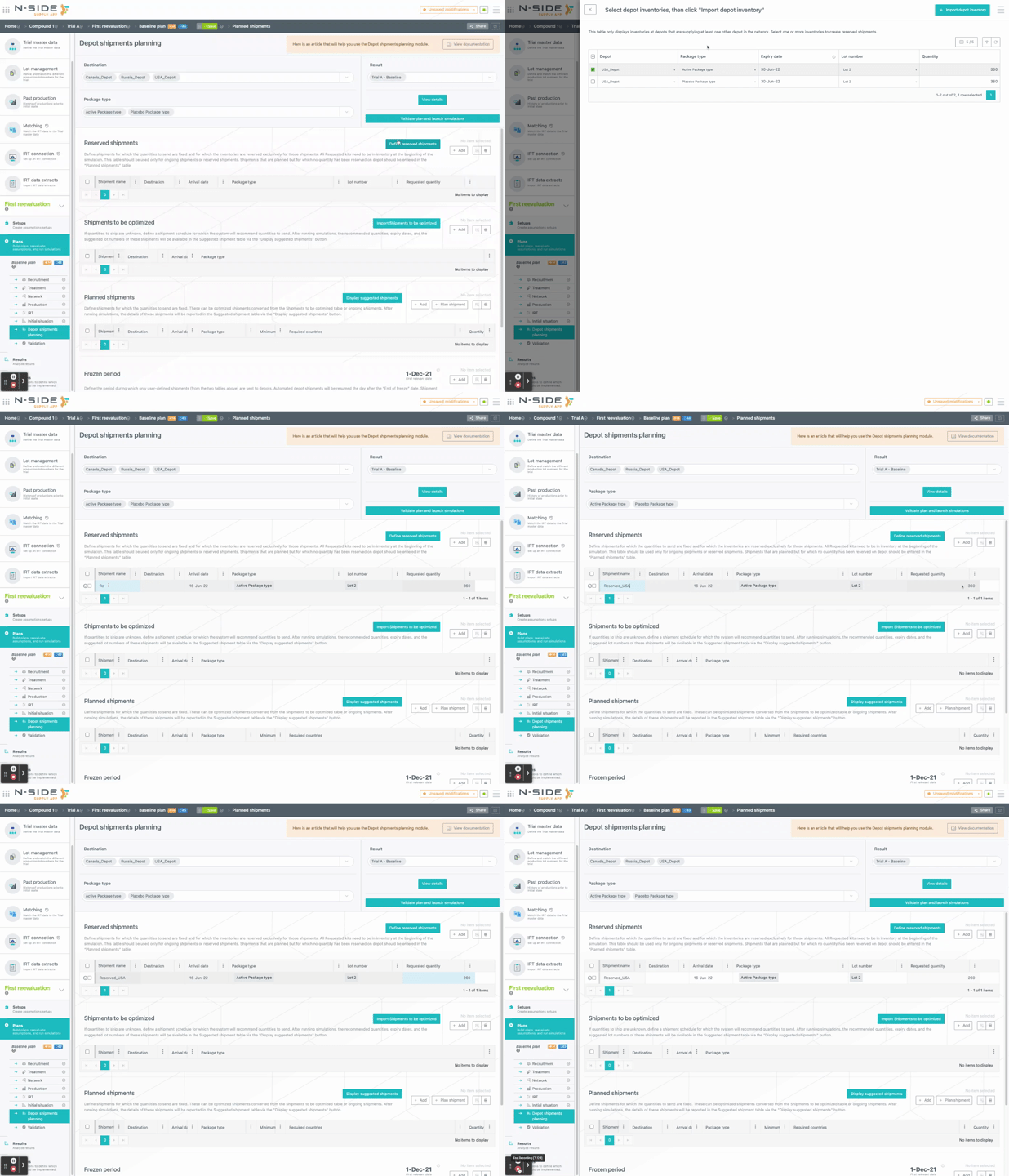
In the depot shipments planning module, you are now able to define reserved shipments, i.e. shipments that will be automatically satisfied using only kits available at the supplier depot in the initial state.
The system will take into account that those kits are reserved for that type of shipment, contrary to planned shipments which can be partial if there are not enough kits to ship at its departure date. Those reserved shipments will always be satisfied and the reserved kits will not be used for other shipments in the meantime.
⚠️ Future releases cannot be used as kits to reserve for a shipment.
To help you define those shipments, you can directly display and then import depot inventories (from the initial state) with the new “Define reserved shipments” button. Once imported, you can modify the quantity of reserved kits if necessary.
3. Strategic dashboard updates
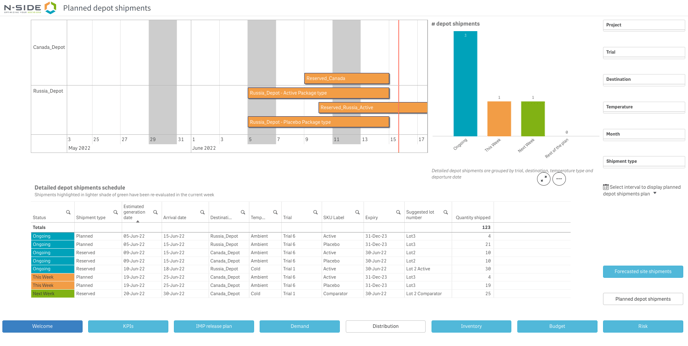
Visualize the global depot shipment planning across trials
You can now access the depot shipment planning at portfolio level with the new “ Planned depot shipment” view of the “Distribution” sheet. You can easily visualize information for ongoing shipments, shipments planned for the week, for next week and for the rest of the plan.
Get the aggregated past and future productions of a portfolio
You can now visualize past productions in the “IMP release plan” sheet. They will appear as semitransparent bars, and be reported in the table below as well.

Benefit from more visibility on relevant information
Portfolios KPIs are simplified as you can now access all KPIs are in the dashboard.
Before

After

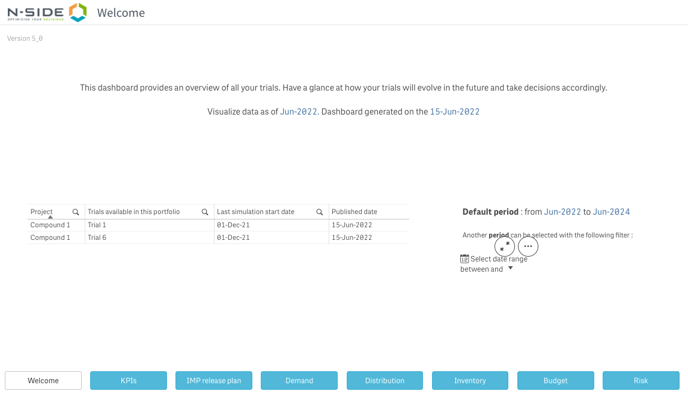
From now on, you have access to additional information in the “Welcome” sheet: dashboard generation date and published date (i.e., date of the publication of the trial in the portfolio).
⚠️ For results published prior to this version:
-
If results contain past productions, these past productions will not be considered in the “IMP release plan” sheet.
-
Results will have to be re-published to update the “Planned depot shipment”view
4. Overage computation updates
The global overage is now considering inventories at local depots that are not supplying sites.
The overage and future waste computations are now considering the package types with no future dispensing.
5. User documentation
The following articles are added (or have been modified) to enrich the documentation and help you in your usage of the N-SIDE Supply App: