
Benefit from a global view of your trial’s overage/waste by leveraging past production data. Enhance your modeling capabilities by specifying “Do Not Dispense” values.

New | Changes | User documentation
New
Enter past production data and visualize the global overage/waste of your trial
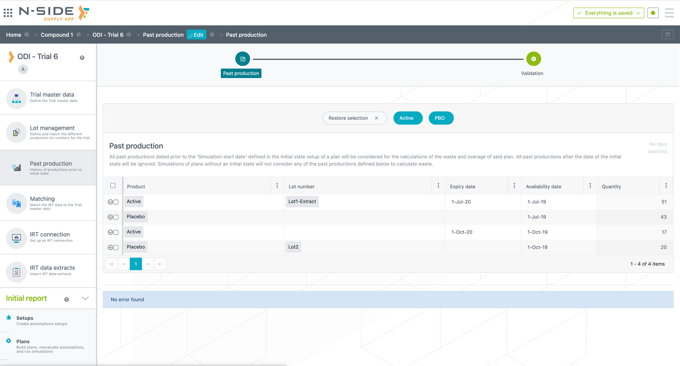
New “Past productions” section
Enter past productions data in this new section in order for the system to compute global waste and overage in the simulations. This way you have a complete view of the performance of your trial.
You can enter past information per released product with associated availability date and released quantity (lot number and expiry date are optional). Past productions are taken into account in the computations only if the availability date is set strictly before the simulation start date in the initial state.
This new dataset is optional. If not used, the overage and waste computations will account for future values only.
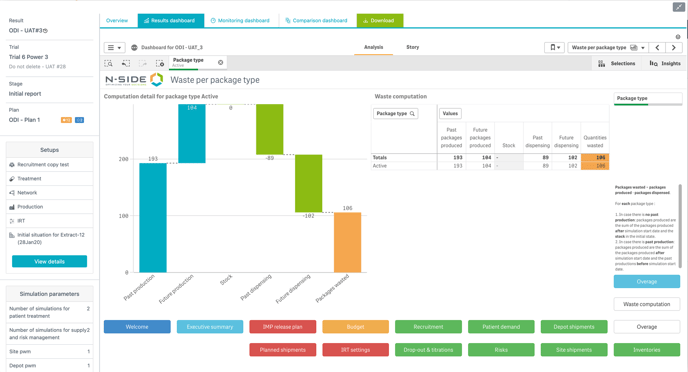
Visualize quantities wasted in a new Result dashboard sheet
You can access the new “Waste computation” view in the “Overage” sheet to visualize global quantities wasted per package type.
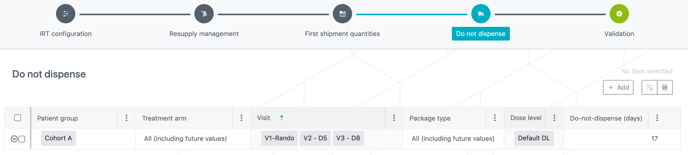
Specify “Do Not Dispense” values in the model
You can now enter “Do Not Dispense” (DND) values in the model to better match your trial specificities thanks to the new “Do Not Dispense” tab in the IRT setup. Entering values in the table will override values that are automatically computed by default.
Changes
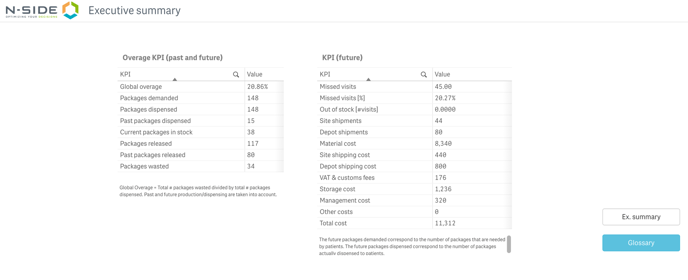
You can now visualize specific overage KPIs in the “Executive summary”. In case you defined past productions, the displayed values will take past and future information into account . Otherwise, only future values are displayed.
In the same way, in the “Overage” sheet, the overage per package type that you see is global or future depending on whether you ran simulations with or without past productions.
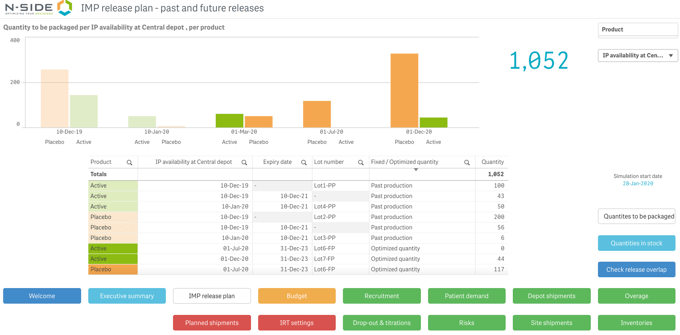
You can now visualize past productions in the “IMP release plan” sheet. They will appear as semitransparent bars, and be reported in the table below as well.
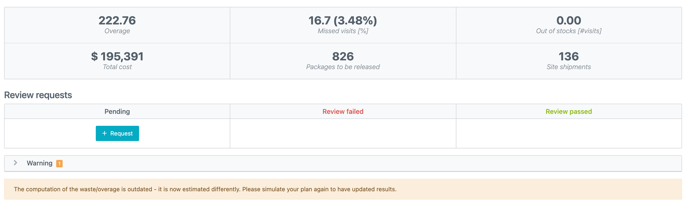
Note that you have to generate a result again in order for these new computations to be taken into account. A warning message appears in the “Result Overview” in case the result was generated before this new version.
User documentation
The following articles are added (or have been modified) to enrich the documentation and help you in your usage of the N-SIDE Supply App: